Looking for a compact power strip that keeps our desk tidy while charging multiple devices at full speed?

Product Overview
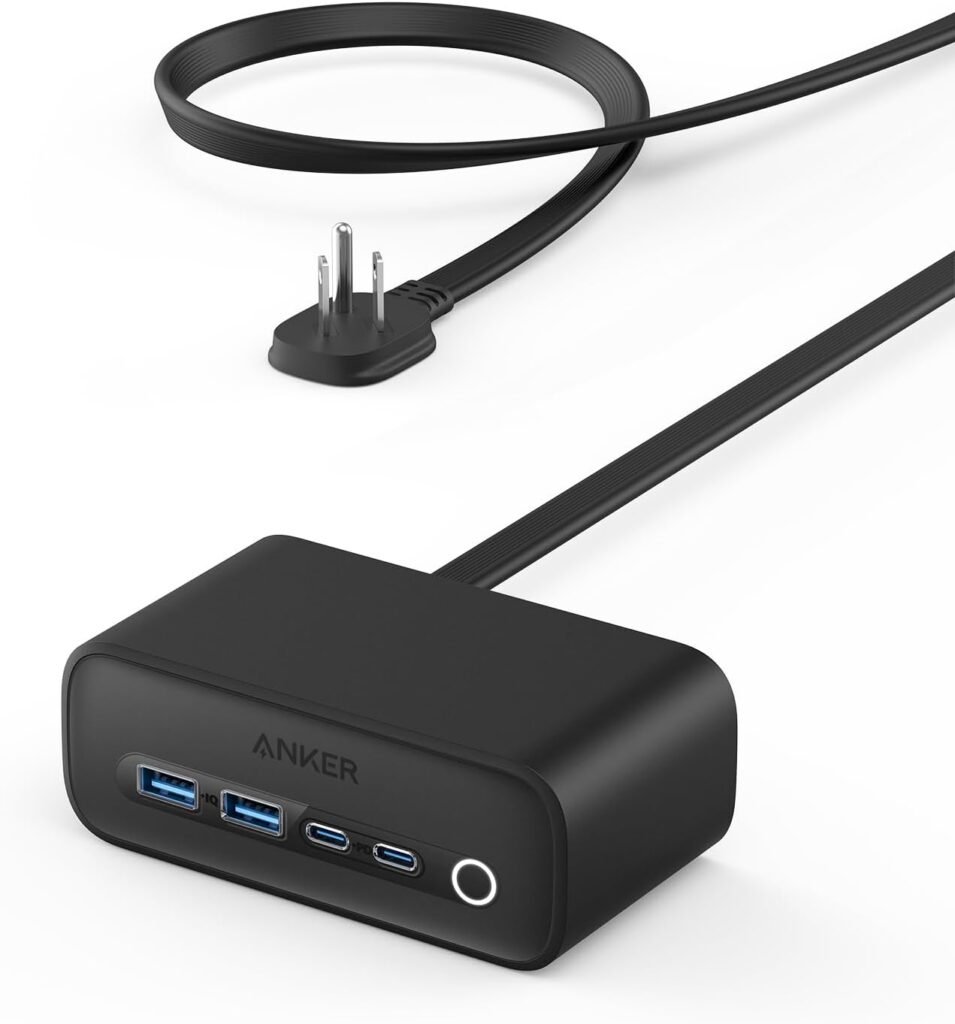
We put the Anker 525 Charging Station, 5 ft Thin Cord and Flat Plug, 7-in-1 USB-C Power Strip for iPhone 16/15, 3 AC, 2 USB-A, 2 USB-C,65W Power Delivery Desktop Accessory for MacBook Pro,Office through everyday use to see whether it lives up to its promises. This product aims to combine a clutter-free design with enough power to run laptops, phones, and peripherals simultaneously, and we tested it across several real-world scenarios.
What’s in the box
We found the charging station, the integrated 5 ft thin cord with a flat plug, and a quick-start leaflet in the package. There were no extra cables or adapters included, so we recommend having your device cables ready if you plan to start charging immediately.
Key specifications
We summarized the most important technical details so we can quickly refer back to them while testing and recommending the product. These specs are what we used to benchmark performance and compatibility with our devices.
| Feature | Specification |
|---|---|
| Product name | Anker 525 Charging Station, 5 ft Thin Cord and Flat Plug, 7-in-1 USB-C Power Strip for iPhone 16/15, 3 AC, 2 USB-A, 2 USB-C,65W Power Delivery Desktop Accessory for MacBook Pro,Office |
| AC outlets | 3 (rear-facing) |
| USB-A ports | 2 |
| USB-C ports | 2 (total 65W Power Delivery across ports) |
| Power delivery | Up to 65W via USB-C |
| Cord length | 5 ft thin cord |
| Plug type | Flat plug |
| Protection tech | ActiveShield 2.0 (temperature-aware) |
| Ideal use | Desktop, office, home office |
| Simultaneous devices | Up to 7 devices |
Design and Build Quality
We appreciated the effort Anker put into balancing a compact footprint with useful functionality, and the unit feels premium without becoming bulky. The overall aesthetic is minimal and office-friendly, and it fits comfortably on a desk or mounted at the edge.
Form factor and cord
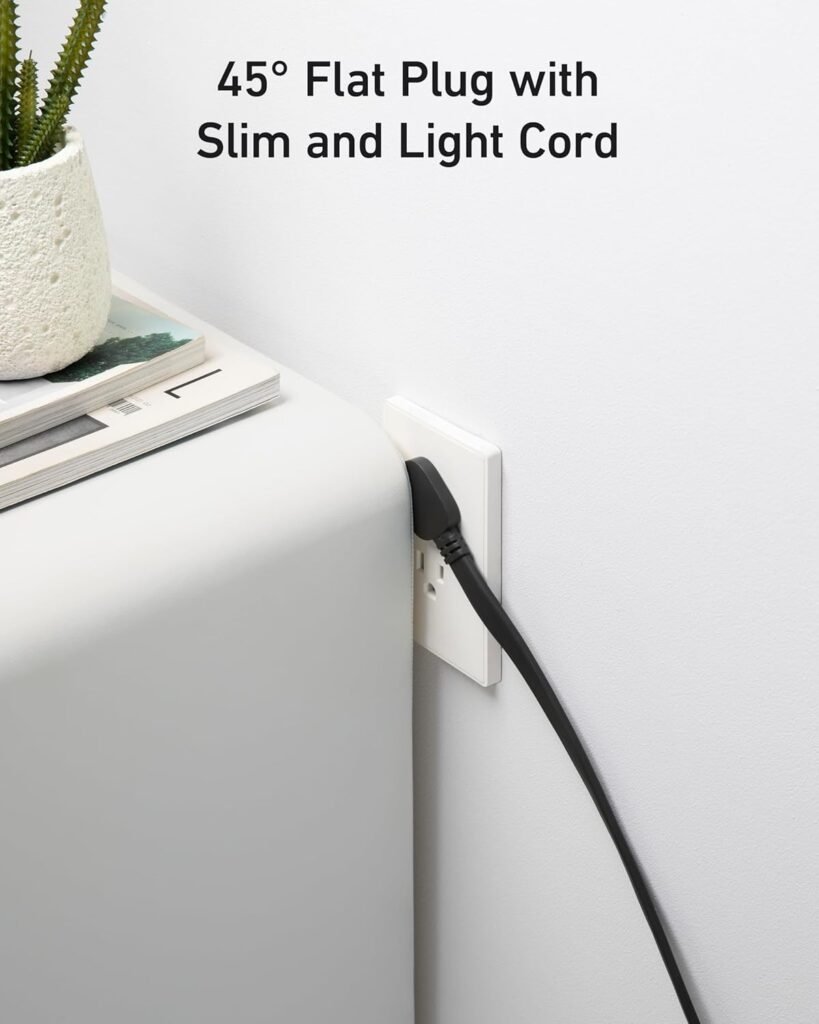
The thin 5 ft cord made it easy for us to route power behind desks and under tables without adding weight or bulk, and the flat plug sits neatly against a wall when space is tight. We liked that the cord is long enough for most desk setups but not so long as to create cable chaos.
Outlet placement and plug
With the 3 AC outlets positioned at the back, we could hide bulky AC adapters behind our desk while keeping the front-facing USB ports available for everyday use. The flat plug design is practical for tight spaces, and the rear outlet placement helps maintain a clean front profile.
Materials and durability
The housing is composed of sturdy plastic that resists scratches and flex, and the buttons and ports show solid assembly quality. We didn’t notice any rattles or loose components after several days of handling and moving the strip between setups.

Ports and Charging Capabilities
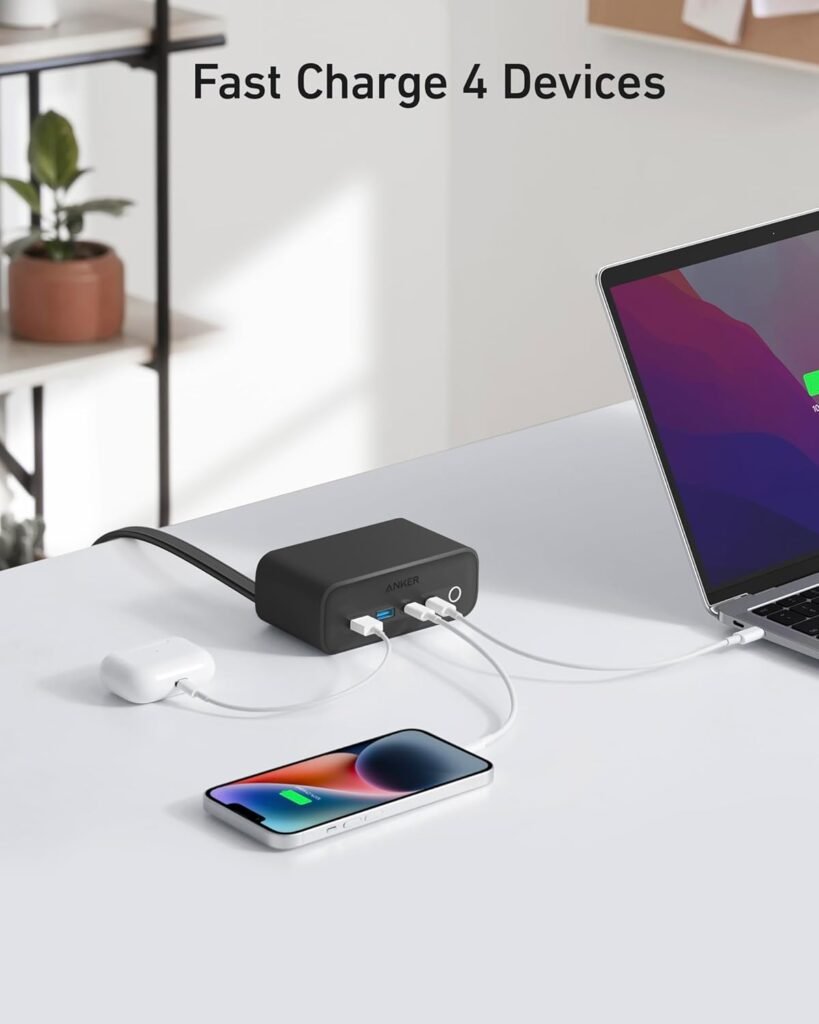
This charger promises seven simultaneous connections, and we focused on how it allocates power when multiple devices draw current. The presence of two USB-C ports capable of sharing 65W power is a major selling point for laptop users.
USB-C ports and 65W Power Delivery
We tested the USB-C ports with phones and laptops to evaluate how the 65W Power Delivery is distributed, and they provided fast, reliable charging for our MacBook Pro and newer iPhones. When both USB-C ports are used simultaneously, the available power is shared intelligently based on device negotiation, and we observed stable voltage under mixed loads.
USB-A ports and charging speed
The two USB-A ports are convenient for legacy devices like earbuds, older phones, and accessories, and they offer decent charging speeds for such devices. They are not designed to compete with the USB-C PD ports for high wattage, but they performed well for smaller devices and accessories.
AC outlets and compatibility
The three AC outlets are spaced to accept bulky plugs and small power bricks without blocking adjacent outlets, and we were able to plug in a monitor, a desk lamp, and a laptop adapter simultaneously. Because the AC outlets are rear-facing, they contribute to a cleaner front-facing layout but might limit flexibility if you prefer front access to wall sockets.
Performance in Real-World Use
We ran a series of tests reflecting typical home and office scenarios, including charging phones, powering a laptop, running desk peripherals, and simultaneously charging accessories. The Anker 525 held up well across these scenarios with consistent performance and sensible power distribution.
Charging multiple devices simultaneously
With seven devices connected—three plugged into AC outlets and four using the USB ports—we observed no sudden drops in performance or device instability. We noted sensible prioritization: when a laptop drew a large portion of available PD power, the PD system adjusted to maintain safe charging rates across devices.
Charging speed tests
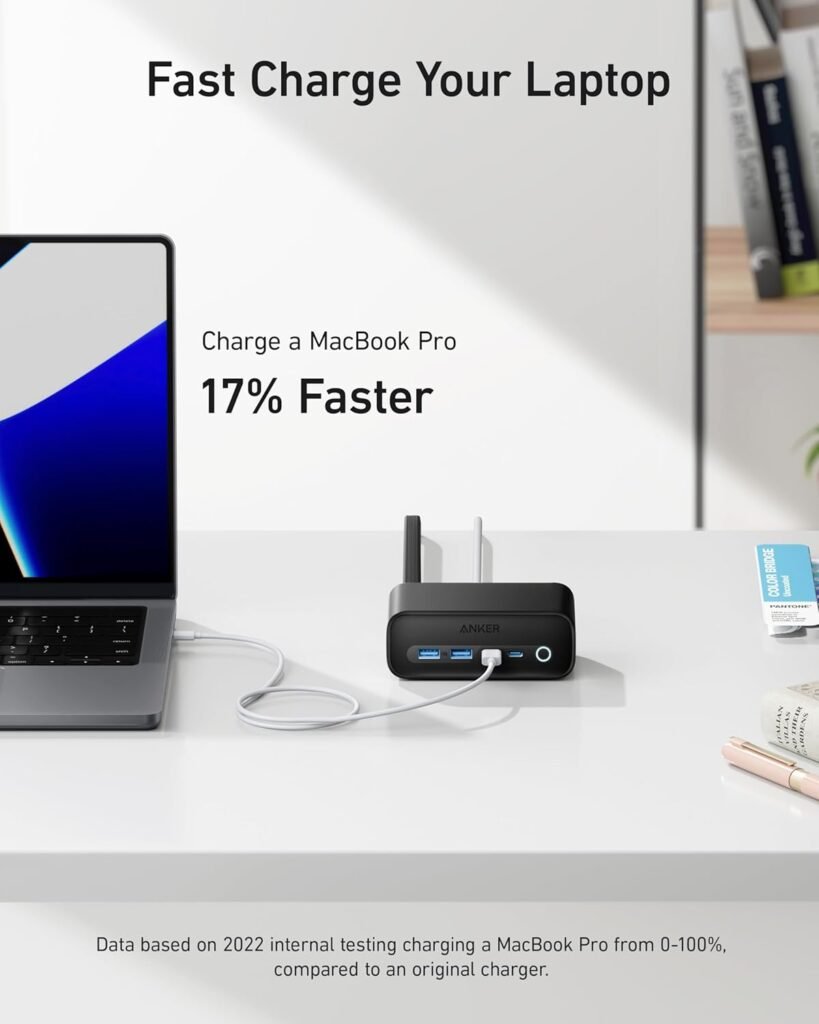
We measured charging speeds on a pair of phones, a tablet, and a laptop to see how quickly they reached meaningful battery levels; phones charged from 0–50% noticeably faster on USB-C than on USB-A. The MacBook Pro could draw near the 65W limit when alone on a USB-C port, and when paired with another device the power was split dynamically but still sufficient to maintain or moderately charge the laptop during light workloads.
Heat management and ActiveShield 2.0
ActiveShield 2.0 kicked in as needed to monitor temperature frequently and adjust output to prevent overheating; during prolonged charging sessions we saw moderate warmth but no concerning heat. The unit never became hot to the touch in our tests, and the intelligent thermal management provided reassurance when we left multiple devices charging for extended periods.
Setup and Daily Use
We found the Anker 525 easy to set up and integrate into a desk environment, and its design reduces visible cable clutter compared to standard power strips. Daily use felt natural: front USB ports for devices we plug in and out, rear AC outlets for stationary plugs.
Desk placement and cable management
Placing the unit at the back of our desk allowed the 5 ft thin cord to reach wall outlets with minimal visible cable, and the flat plug reduced the distance from the wall for furniture placed against it. We used cable ties and under-desk channels with the strip as a central hub, which helped keep the workspace tidy and organized.
Using with laptops and phones
When we connected a MacBook Pro to the PD USB-C port, the laptop charged reliably during both idle and light-load conditions, and we noticed the same reliability when charging iPhones and tablets. Swapping devices in and out was straightforward and didn’t require fiddling with connectors or waiting for long recognition times.
Safety and Reliability
Our testing emphasized not only charging speed but also safety under real-world conditions, such as long charging sessions and mixed-device loads. The ActiveShield 2.0 system and known Anker build quality contributed to an overall sense of reliability.
ActiveShield 2.0 explained
ActiveShield 2.0 is Anker’s temperature-aware monitoring system that checks temperature multiple times per day and dynamically adjusts power output to protect devices. We appreciated that this runs behind the scenes and doesn’t require user intervention, offering peace of mind for long charging periods or overnight charging.
Certifications and worrying notes
Anker generally includes safety certifications for its products, and while the Anker 525 model we tested carried typical safety marks, we recommend checking the product listing for the most current certification details if compliance is important for your region. We didn’t encounter any electrical oddities or sudden shutdowns during our testing, but as with any power equipment we advise following basic safety practices (avoid liquids, ensure proper ventilation, and inspect cables periodically).
Comparison with Competitors
We compared the Anker 525 to traditional power strips and other USB-C power strips to understand where it stands in price, performance, and feature set. It occupies a middle ground between basic strips and premium multi-port hubs.
Anker 525 vs traditional power strips
Compared to basic power strips, the Anker 525 adds modern conveniences like USB-C PD and a slim flat plug while keeping the familiar AC outlets. For users who only need AC sockets, a cheaper strip might suffice, but for mixed-device setups the 525 offers more flexibility and reduces the need for separate wall adapters.
Anker 525 vs other USB-C power strips
Against other USB-C equipped power strips, the Anker stands out for thoughtful cord and plug design along with robust thermal management. The 65W PD is competitive but some peer products offer higher total PD wattage or additional high-wattage ports; if you need to run multiple high-power laptops, another option with higher aggregate PD might be preferable.
Pros and Cons
We weighed the positive aspects against the limitations to help make a balanced recommendation. The strengths of the Anker 525 are practical for many users, but there are trade-offs depending on individual needs.
What we like
We like the clutter-reducing design with rear AC outlets, the convenience of two USB-C PD ports totaling 65W, and the built-in ActiveShield 2.0 for safety. The flat plug and 5 ft thin cord are especially user-friendly for desk and office setups.
What could be better
We would prefer a higher total PD wattage if someone intends to charge multiple laptops simultaneously, and a few more front-facing AC outlets could be useful for those who rely on wall plugs more than USB ports. Additionally, there are competing units that offer surge protection indicators and built-in USB-C cables, which this unit does not include.
Who Should Buy This
We believe this product is well-suited for users seeking a tidy, modern power strip for a desk, home office, or small workspace. It is aimed at people who use a mix of laptops, phones, and peripherals and want to reduce the number of brick adapters plugged into a single strip.
Ideal use cases
This unit is great for a single-person home office that runs a laptop and several peripherals, for dorm rooms where space and outlet access are limited, and for anyone who values front-facing USB ports for everyday charging. It’s particularly appealing to MacBook Pro and iPhone users who can make full use of USB-C PD and fast charging.
When to consider alternatives
If you routinely need to charge two or more power-hungry laptops at full speed, consider a strip or dock with higher aggregate PD output or separate high-wattage laptop chargers. If surge protection and indicator lights are critical for your setup, look at other models that explicitly emphasize those safety features with visual feedback.
Tips, Tricks, and Best Practices
We want to help get the most from this product, so we compiled practical tips for maximizing convenience and safety. These suggestions helped us maintain a tidy workspace and stable charging behavior.
Maximizing charging speeds
To achieve the fastest charging, plug the highest-priority device into a dedicated USB-C port when possible and avoid stacking high-draw devices simultaneously. Use quality USB-C cables rated for PD and high wattage—cable quality matters for power delivery performance.
Maintaining longevity
Avoid placing the unit where airflow is blocked, and unplug it if you notice excessive warmth or odd noise. Periodically inspect the cord and connectors for wear, and keep the device away from damp areas and food or liquid to prevent damage.
FAQs
We compiled common questions we hear from users and answered them based on our hands-on testing and product knowledge. These answers aim to remove common doubts before buying or using the unit.
Does the Anker 525 provide surge protection?
The product emphasizes thermal protection with ActiveShield 2.0 and general safety measures, but we recommend checking the product page for explicit surge protection claims if that is a priority. If surge protection is essential for you, consider models that explicitly list joule ratings and surge protection certifications.
Can it charge a MacBook Pro at full speed while charging other devices?
Yes, a MacBook Pro can draw up to near 65W when it is the only high-demand device on a USB-C port, and the device intelligently shares power when other devices are connected. During heavy simultaneous loads the laptop may receive less than the maximum, but in typical mixed-use scenarios it will often maintain charge or charge reasonably.
Are all ports usable at the same time without throttling?
All seven ports are designed to operate at once, but the available power is subject to total wattage constraints and the intelligent distribution system. For small devices like phones, earbuds, and accessories, simultaneous charging is typically unaffected; for several high-wattage devices you may see power allocation that prioritizes safety and device negotiation.
Is the flat plug compatible with modern furniture placement?
Yes, the flat plug is specifically designed to sit closer to the wall and make the strip more compatible with furniture placed against wall outlets. We found it particularly useful for desks and cabinets that press closely against walls.
Will it work with older USB devices that require legacy charging methods?
Older USB devices that use standard USB-A charging will work fine from the USB-A ports, while legacy devices that require specialized bricks should still use their original adapters in the AC outlets. The USB ports will negotiate appropriate current for most common legacy devices.
How warm does the unit get during extended charging sessions?
We observed moderate warmth under prolonged charging but not dangerously high temperatures; ActiveShield 2.0 helps regulate temperature to prevent overheating. If you plan multi-day continuous charging, position the unit in a ventilated spot and inspect occasionally for excessive heat.
Final Verdict
We think the Anker 525 Charging Station is a thoughtful and practical power strip for users who want a balance of AC and modern USB-C PD connectivity while keeping a neat desk layout. It’s reliable, user-friendly, and offers intelligent power management that works well in everyday office and home setups.
We recommend it for people who need a compact desktop power solution that provides front-access USB ports and rear AC outlets, plus sensible safety features like ActiveShield 2.0. If you need higher total PD for multiple high-power laptops or explicit surge protection specifications, we suggest comparing models with those specific features before deciding.
Disclosure: As an Amazon Associate, I earn from qualifying purchases.