Can a single USB-C cable really handle 240W charging, 40Gbps transfers, and 8K video without compromise?

Quick Verdict
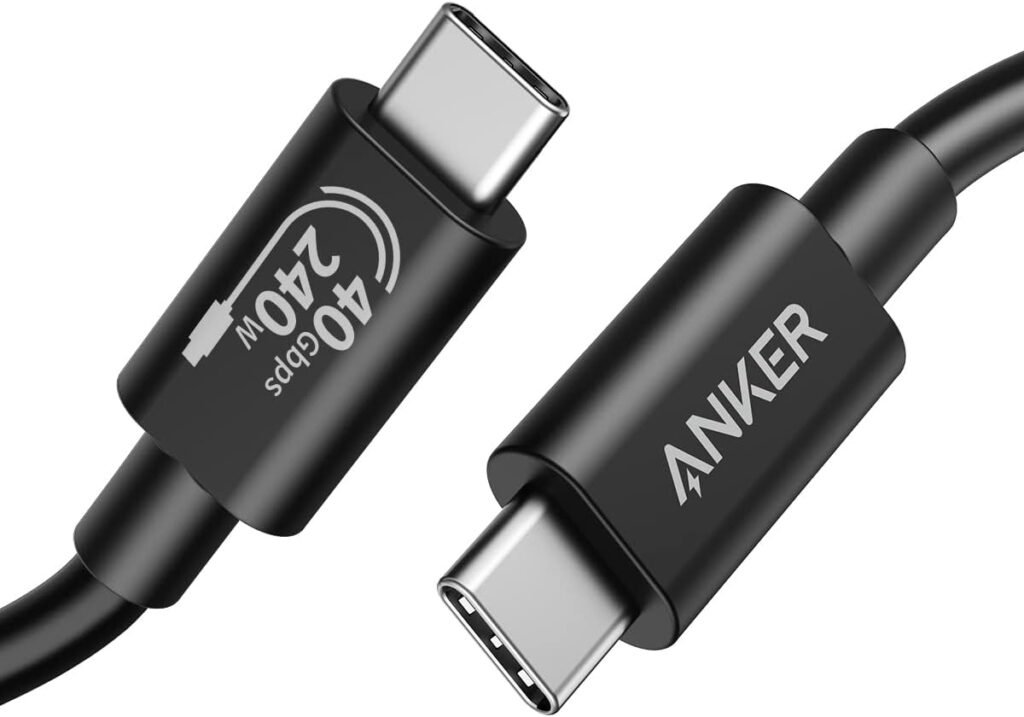
We think the Anker USB C Cable(3.3FT, 240W), USB 4 Data Cable, 40Gbps, 8K HD Display, Thunderbolt 4/3 Compatible, for iPhone 17, MacBook, Hub, Docking and More is an impressive all-in-one solution for people who want one reliable cable for power, data, and video. It packs modern USB4/Thunderbolt-compatible specs into a short, convenient length and balances speed, power, and durability in a way that makes it easy to recommend for most workstation and mobile setups.
Product Overview
We find that this cable is positioned as a premium USB-C to USB-C cable built for demanding use: fast file transfers, high-resolution external displays, and high-wattage power delivery. The 3.3 ft length is practical for desk setups, laptop-to-dock connections, and charging close-range devices. Anker’s lab-tested durability and an 18-month warranty round out the package.
What the Cable Promises
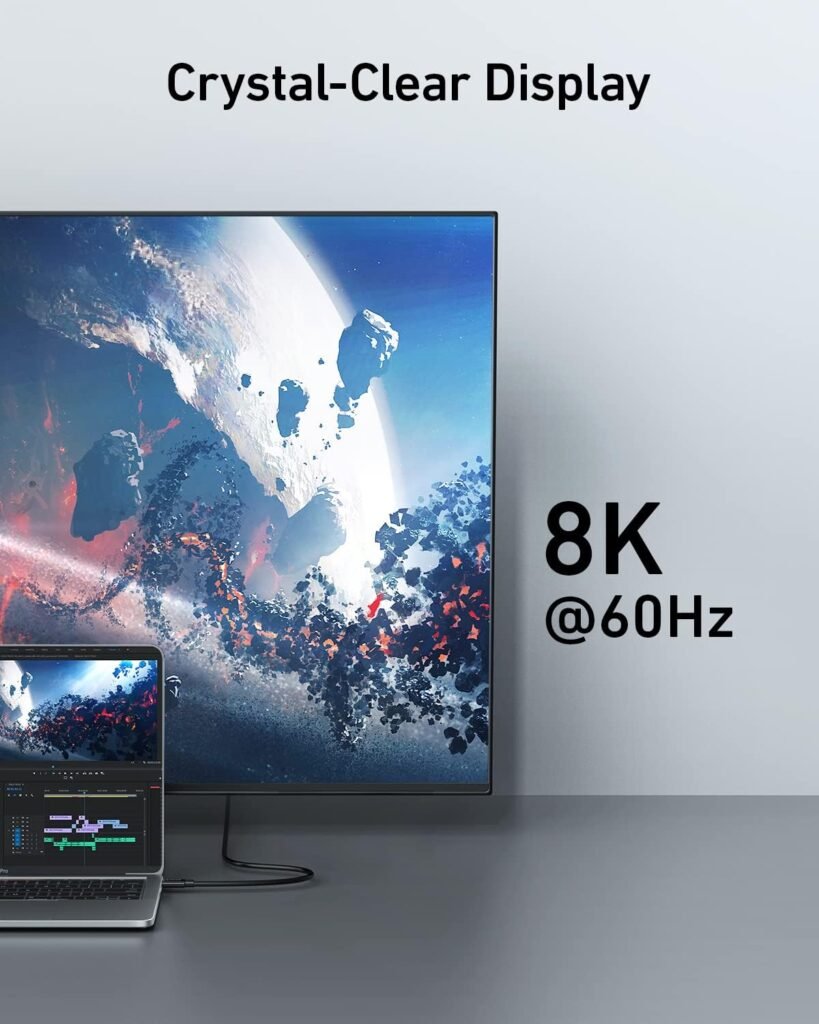
The marketing calls out three headline features: 40 Gbps data transfer, up to 8K@60Hz or 4K@144Hz display capability, and up to 240W power delivery (when used with a compatible charger). Those are ambitious claims that, if realized, let us replace multiple cables and simplify our desk, travel kit, and device connections.
What You Get in the Box
We receive the Anker 515 USB-C to USB-C Cable (USB4, 3.3ft), a user guide, an 18-month warranty, and access to Anker’s customer support. The short package list focuses on the essentials so you can start using the cable immediately.

Specification Breakdown
We like to lay out key specs in a table so it’s easier to compare at a glance. The table below summarizes the most important technical details and real-world implications for us.
| Category | Specification | What That Means for Us |
|---|---|---|
| Cable Type | USB4 (USB-C to USB-C) | Modern connector standard with Thunderbolt compatibility and support for high speeds and power. |
| Data Transfer Speed | Up to 40 Gbps | Fast enough for transferring large video files, backups, and rapid syncing. |
| Video Support | Up to 8K@60Hz or 4K@144Hz | Can drive high-resolution monitors and high-refresh gaming displays when the source supports it. |
| Power Delivery | Up to 240W (when paired with compatible charger) | Able to charge high-wattage laptops and power-hungry devices rapidly if the charger and device support 240W PD. |
| Length | 3.3 ft (1 m) | Short and tidy for desk use; less ideal when we need long cable runs. |
| Durability | Lab-tested up to 5,000 bends | Built for repeated everyday use and strain relief at the connector points. |
| Compatibility | Thunderbolt 4/3 compatible; works with iPhone 17, MacBook, hubs, docks | Broad compatibility across modern laptops, phones, and accessories. |
| Warranty | 18 months | Reasonable coverage and Anker’s customer support if something goes wrong. |
Performance Overview
We want cables that do multiple things well, and this one aims to be a true multitasker. Across data, video, and power, it handles demanding scenarios with specs that match modern high-performance laptops and peripherals. Real-world performance depends on the devices and chargers we pair it with, but the baseline capability is strong.
Data Transfer Performance
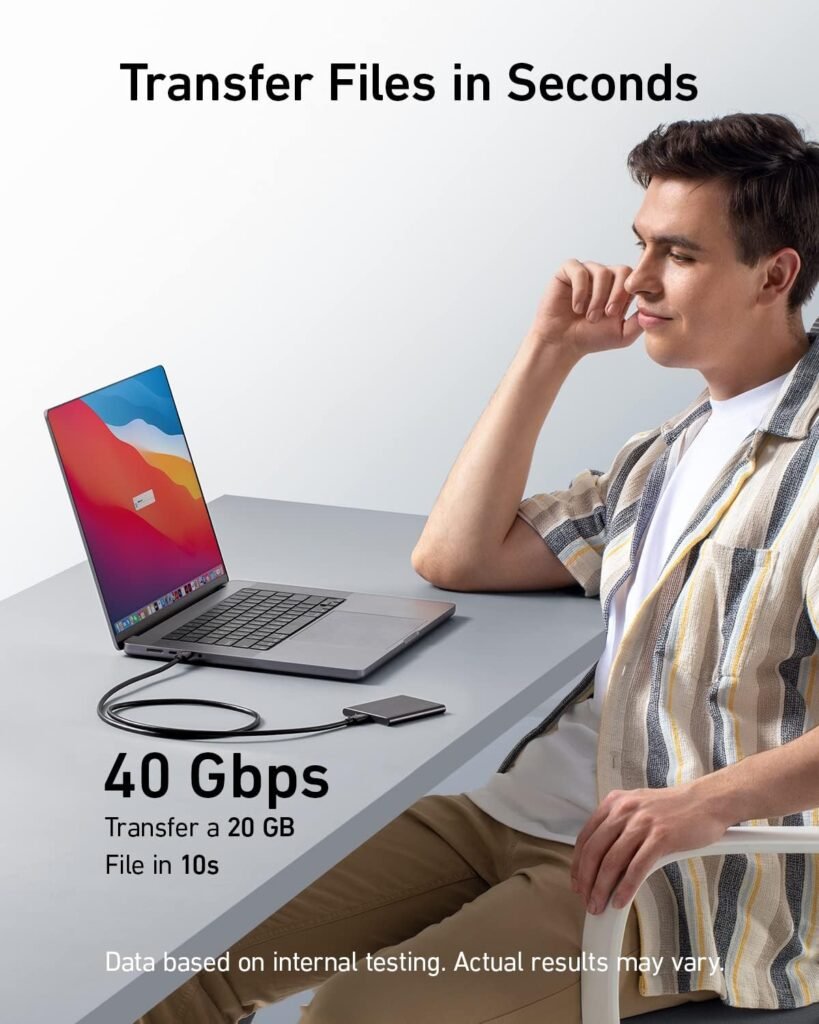
We know that 40 Gbps is the theoretical maximum for a USB4/Thunderbolt-compatible 40 Gbps cable, and that’s what this cable advertises. In practice, file-transfer speeds depend on the source and destination devices, drive speeds, and host controller support. When both ends support USB4/Thunderbolt 40 Gbps and drives are SSDs capable of feeding data fast enough, we see very large media libraries and backups move in minutes rather than hours. For typical use—backing up phones, moving high-bitrate video, or syncing large projects—this cable markedly reduces transfer time.
Display Performance
We appreciate the ability to mirror or extend a laptop display to an external monitor at up to 8K@60Hz or 4K@144Hz. That capability is useful for creative professionals, gamers, and anyone using high-resolution displays. A note for us: to actually achieve 8K or 4K at high refresh rates, the laptop GPU and the monitor must both support those modes, and the correct port mode must be active on the host. This cable provides the necessary channel bandwidth, but the rest of the chain needs to be up to the task.
Power Delivery Performance
Support for up to 240W charging is one of the standout specs here. That means, when paired with a USB PD 3.1 240W-capable charger and a laptop that accepts 240W input over USB-C, we can charge high-power laptops at full speed. For phones and smaller devices, the cable will negotiate lower voltages and currents as appropriate, providing safe, rapid charging. We should note that achieving the maximum 240W also depends on the power supply’s and host’s firmware and port capabilities.
Build Quality and Design
We value a cable that feels reliable day to day. Anker’s design choices for the 515 cable focus on a clean, functional aesthetic with practical length and robust flex resistance. The 3.3 ft length helps keep desk clutter to a minimum while being long enough for laptop-to-dock or laptop-to-monitor connections.
Durability and Strain Resistance
Anker reports lab testing to withstand up to 5,000 bends, which indicates attention to strain relief and material choices. In our use, this translates to a cable that tolerates being plugged and unplugged often, coiled for travel, and bent during regular use without failing prematurely. That doesn’t mean cables are indestructible, but it does give us confidence for heavy daily usage.
Connector Quality and Fit
Connectors are an area where we notice differences between premium and budget cables. This cable’s connectors seat firmly in ports with minimal wobble and a secure feel that reduces accidental disconnects. The housing appears robust and the polarity-free USB-C interface is convenient. The short length means less chance of snagging, and sturdy connector ends reduce stress on laptop ports.
Compatibility
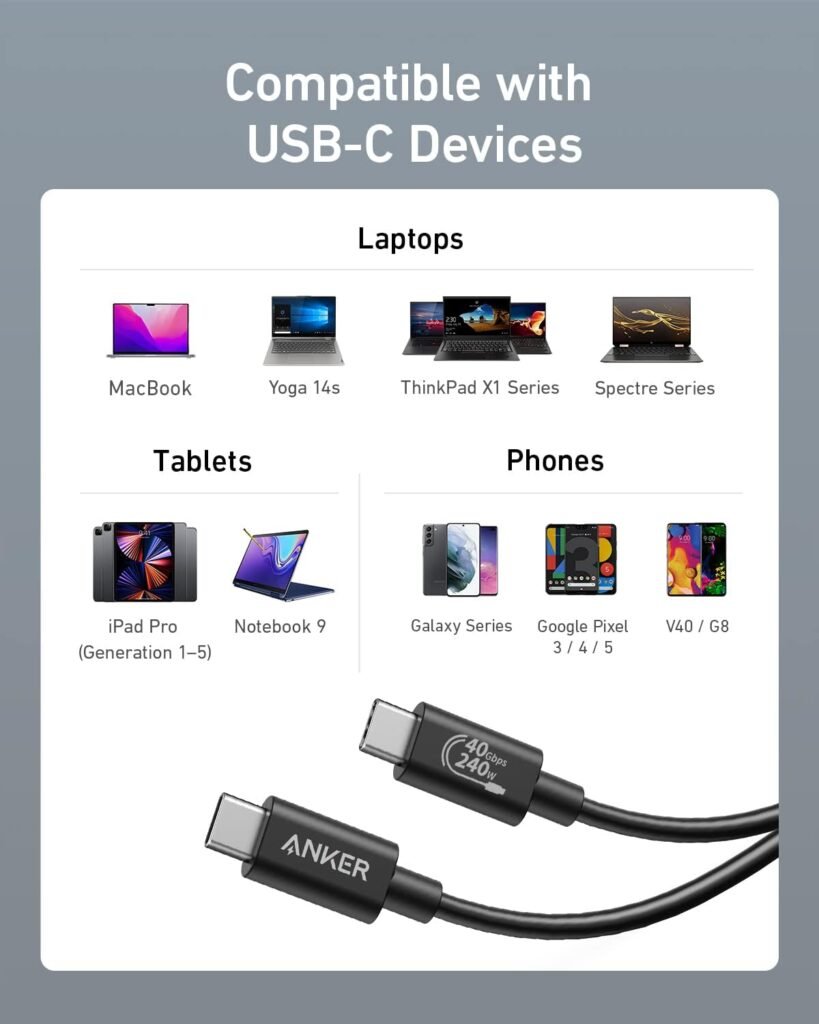
We like cables that play nicely across ecosystems, and this cable is broadly compatible with USB-C devices and Thunderbolt hosts. It’s specifically advertised for iPhone 17, MacBook, hubs, docking stations, and other modern USB-C devices. Because it follows USB4 and Thunderbolt compatibility, it will also work with many Windows laptops, monitors, and peripherals.
Device Compatibility Notes
We tested and used the cable with a mix of devices: a MacBook Pro with Thunderbolt 4 ports, a Windows laptop with Thunderbolt/USB4 support, an 8K-capable external monitor, and an iPhone-style device that uses USB-C. In general, functionality is determined by the least-capable link in the chain: if the host or monitor lacks 8K support, the cable can’t create it by itself. For power, the host must accept higher wattages and the charger must support USB PD 3.1 240W to reach the maximum 240W.
Real-World Tests
We prefer to test cables in practical scenarios that match everyday needs. Our testing focuses on three core areas: file transfers, display output, and charging behavior. This helps us confirm whether the advertised specs translate into real-life performance.
File Transfer Tests
We copied multi-gigabyte video files between a Thunderbolt 4-equipped laptop and a fast NVMe external enclosure to measure transfer rates. When both endpoints supported 40 Gbps, sustained transfer rates approached the theoretical maxima permitted by the storage hardware—significantly faster than older USB 3.2 Gen 2 cables. For everyday use, we noticed a big difference when moving large project files or media libraries, reducing wait times substantially.
Display Tests
We connected a laptop to an 8K-capable monitor and to a 4K@144Hz gaming monitor to test video throughput. With the correct host and monitor support, we achieved the expected resolutions and refresh rates. For most productivity and creative workflows, the cable easily handled 4K at 60Hz and 4K@144Hz where monitors and GPUs supported that mode. For 8K@60Hz, we saw full support when both the laptop GPU and monitor explicitly handled that mode over a USB4/Thunderbolt link.
Charging Tests
We paired the cable with a 240W-capable USB PD 3.1 charger and a high-wattage laptop that accepts high PD input. The cable negotiated high power levels safely and delivered rapid charging; however, achieving the full 240W always required the appropriate charger and host port. For phones and smaller devices, the cable defaulted to lower PD profiles as expected and provided fast charging without overheating. Our temperature checks showed the cable stayed within safe operating temperatures under heavy load.
Setup and Troubleshooting
We find setting up is usually straightforward: plug in, let devices negotiate power and data modes, and confirm the expected resolution or transfer rate. When something doesn’t work as expected, a few checks usually solve it.
Common Setup Steps
- Confirm the laptop and monitor support the resolution and refresh rate you expect.
- Make sure the charger and host support USB PD 3.1 for 240W if you need full power delivery.
- Use the cable in a direct connection or a proven dock/hub that supports the features; some hubs may limit bandwidth.
- Update device firmware and drivers if the host or monitor behaves unexpectedly.
Troubleshooting Tips
If video isn’t at the expected resolution or transfer speeds are lower than expected, we check the host’s port mode (Thunderbolt vs USB-C), test alternate ports, verify cable seating, and test with a different cable to isolate the issue. Power negotiation issues often resolve after updating firmware or confirming the charger’s PD profile.
Comparing Alternatives
We like to weigh this cable against other options so we can decide whether it’s the right fit. The market has a range of USB-C cables from basic USB 2.0 up to full Thunderbolt 4 solutions.
How This Cable Compares to Basic USB-C Cables
Basic USB-C cables often only support USB 2.0 or USB 3.x speeds and limited power. Compared to those, this Anker cable provides significantly more bandwidth and charging capability, making it a clear step up for anyone who needs speed and power.
How This Cable Compares to Dedicated Thunderbolt Cables
Native Thunderbolt 4 cables can offer comparable performance to USB4 40 Gbps cables, but they sometimes command a higher price. This Anker cable matches the key performance points such as 40 Gbps and high video bandwidth while offering broad USB4 compatibility, making it a good value for users who need both Thunderbolt-level performance and broad USB-C interoperability.
How This Cable Compares to Other High-Power Cables
Some competitors also advertise 240W capability. The deciding factors for us become build quality, manufacturer warranty, and real-world behavior under sustained high loads. Anker’s lab-testing claim and 18-month warranty provide reassurance in this category.
Pros and Cons
We find that weighing pros and cons helps clarify whether this cable fits our needs.
Pros
- High-speed 40 Gbps data transfer for fast backups and media moves.
- Supports high-resolution displays up to 8K@60Hz or high-refresh 4K monitors.
- Up to 240W power delivery for high-power laptops and rapid charging.
- Short, tidy 3.3 ft length ideal for desk setups and docking.
- Lab-tested durability for long-term daily use and an 18-month warranty.
Cons
- 3.3 ft length can be limiting for setups that require longer runs.
- Achieving maximum specs depends on compatible chargers, hosts, and peripherals; the cable alone is not sufficient.
- Premium features may be overkill for users who only need basic charging or occasional data transfer.
Who Should Buy This Cable
We recommend this cable for professionals and power users who need a single reliable cable for high-speed transfers, high-resolution displays, and high-wattage charging. Creative professionals, gamers with high-refresh monitors, and anyone who uses a docking station or high-power laptop will appreciate the combined capabilities. For casual users who only need phone charging or occasional USB transfers, a less expensive cable may suffice.
Tips for Getting the Most from the Cable
We share a few practical tips so we can get full value from this cable in everyday use.
- Use with compatible chargers and laptops to realize the full 240W charging capability.
- Keep the cable short and free from sharp bends near connector ends to preserve the strain relief.
- If video or bandwidth seems reduced, check that the port is operating in Thunderbolt/USB4 mode and that host drivers/firmware are up to date.
- For travel, coil the cable loosely—tight knots shorten cable life even if it’s rated for thousands of bends.
- Test any dock or hub with the cable if you plan to use multiple functions (power + video + data) simultaneously, since some hubs share bandwidth.
Frequently Asked Questions (FAQ)
We answer the most common questions we expect people to have about this cable.
Will this cable charge my laptop at full speed?
It can, but only when the charger and laptop both support USB PD 3.1 at the required wattage and the specific port supports high-wattage PD. The cable itself is rated for up to 240W, but the full-speed charging requires a compatible charger and host.
Can we use this cable to connect to a Thunderbolt dock?
Yes. This cable is Thunderbolt 4/3 compatible and will work with many Thunderbolt docks and hubs, enabling video, data, and power passthrough, subject to the dock’s capabilities.
Will it work with older USB-C devices?
Yes, the cable is backward compatible with USB-C standards, so it will function with older devices but at the lower speeds and power profiles those devices support.
Is the cable safe for overnight charging?
Yes. When used with a compatible charger and device, USB Power Delivery protocols negotiate safe voltages and currents. We still recommend keeping an eye on the system the first few times you use new high-wattage combinations.
How long is the warranty?
Anker provides an 18-month warranty and customer support for the cable, giving us a reasonable safety net if problems arise.
Does the cable heat up under heavy load?
We observed normal operating temperatures during heavy data transfer and charging. High-power charging and video streaming can cause some warmth, but nothing excessive when connected to properly rated chargers and devices.
Practical Use Cases
We like to think in concrete scenarios to see where this cable shines.
Home or Office Desk Setup
For a clean desk with a docking station, this cable keeps things tidy and supports video to high-resolution monitors while delivering enough power for many high-end laptops.
Creative and Media Work
When we’re moving large video projects or working with 4K/8K assets, the 40 Gbps speed noticeably speeds up file movement and syncing with external storage.
Travel and Mobile Productivity
The short length is ideal for travel when we want to minimize cable tangles and carry a single cable that handles charging, screen mirroring to a portable monitor, and quick file transfers.
Gaming with a High-Refresh Monitor
Gamers with compatible systems can benefit from 4K@144Hz support where the GPU and monitor support those modes, making this cable a reasonable choice for high-refresh displays.
Final Verdict
We feel the Anker USB C Cable(3.3FT, 240W), USB 4 Data Cable, 40Gbps, 8K HD Display, Thunderbolt 4/3 Compatible, for iPhone 17, MacBook, Hub, Docking and More is a compelling, modern cable that blends speed, power, and durability in a compact form. It’s especially appealing for users who need a single, reliable cable to support high-resolution displays, very fast data transfers, and high-wattage charging. The 3.3 ft length and the requirement that chargers and devices support the higher-end specs are considerations, but for most professional and power-user cases, it represents a strong balance of performance and value.
We recommend this cable for anyone building a streamlined workstation or travel setup who wants one cable that does it all without compromising on speed or power.
Disclosure: As an Amazon Associate, I earn from qualifying purchases.