Looking for a single hub that can power our laptop, connect multiple monitors, handle fast data transfers, and tidy up our desk at the same time?

Quick Verdict
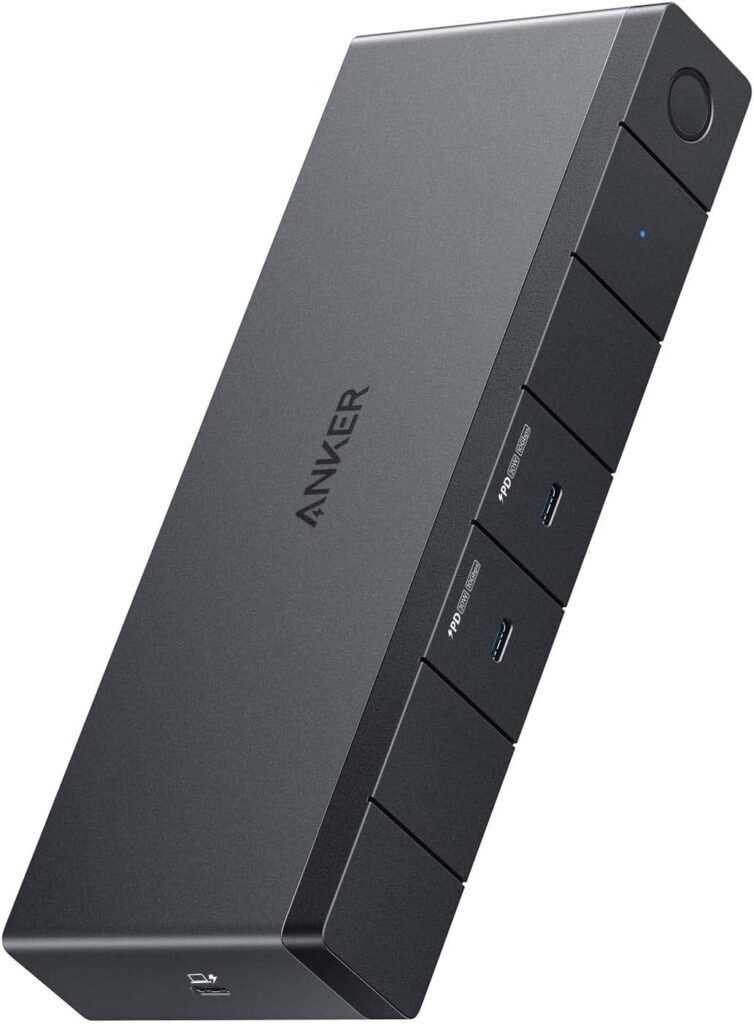
We find the Anker 568 USB-C Docking Station (11-in-1, USB4) to be an ambitious and capable hub for Windows laptop users who need lots of ports, strong charging, and multi-monitor support. It’s especially attractive when we require high upstream bandwidth (40 Gbps) and up to 100W laptop charging, though its incompatibility with MacBook devices limits its audience.
Key Features Overview
We appreciate that this dock is built on USB4 technology and targets power users who want both speed and flexibility. The headline features include an upstream 100W USB-C port, two downstream USB-C ports (10 Gbps, 30W each), four USB-A ports, Ethernet, HDMI 2.0, and two DisplayPorts — plus support for single 8K or triple 4K displays.
| Feature | Specification / Notes |
|---|---|
| Model | Anker 568 USB-C Docking Station (11-in-1, USB4) |
| Upstream Port | USB4 upstream port (100W max charging, 40 Gbps bandwidth) |
| Downstream USB-C | 2 × USB-C (10 Gbps, 30W) |
| USB-A Ports | 4 × USB-A (speeds dependent on host and port) |
| Video Outputs | 1 × HDMI 2.0, 2 × DisplayPort |
| Max Display | Single 8K or Triple 4K (subject to host GPU & OS) |
| Ethernet | Gigabit Ethernet port |
| Power Adapter | 180W power adapter included |
| Cable | 3.28 ft (1 m) USB4 cable included |
| Compatibility | Windows 10 or later (not compatible with MacBook) |
| Warranty | 18-month warranty |
We like having that concise snapshot because it helps us pick the right dock for our setup quickly. The combination of 40 Gbps upstream and an included 180W adapter is a strong selling point for power-hungry laptops and multiple peripherals.
Design and Build Quality
We find the Anker 568 to be compact but solidly built, with a design that balances functionality and a subdued aesthetic suitable for professional desks. The gray finish blends into most environments, and the port layout is organized to keep cables manageable.
The chassis feels robust enough for everyday use, and the included power brick keeps most of the heat and bulk away from the dock itself. We also like that the dock has rubber feet to keep it from sliding and to improve airflow underneath.
Size and Portability
We find the dock to be portable enough to tuck into a laptop bag for travel, though it’s not palm-sized like some minimalist USB-C hubs. The included 1 m USB4 cable makes on-the-go setup easier, but we usually store the power brick separately.
When we travel, we prefer the dock for hotel desks or co-working spaces where we want monitor and network connectivity without bringing multiple adaptors. It’s heavier than ultra-compact dongles but still manageable for road warriors who need full docking functionality.
Materials and Finish
We like the matte gray finish, which resists fingerprints better than high-gloss plastics. The enclosure is plastic rather than metal, but it’s thick and well-assembled, with seams that are not overly noticeable.
Over time, the plastic finish will probably show some wear if we constantly plug and unplug cables, but for typical use it looks and feels premium enough for a desk-bound product.

Ports and Connectivity
We appreciate that the Anker 568 focuses on real-world connectivity: multiple USB ports, robust video outputs, and a dedicated Ethernet jack. That mix allows us to connect storage, peripherals, wired networking, and several monitors simultaneously.
The 11-in-1 layout is clearly intended to replace a clutter of separate adaptors and cables, and in many setups it does that well. We will note that full capability depends on the host laptop’s support for USB4 and its video output mapping.
USB-C and USB-A Ports
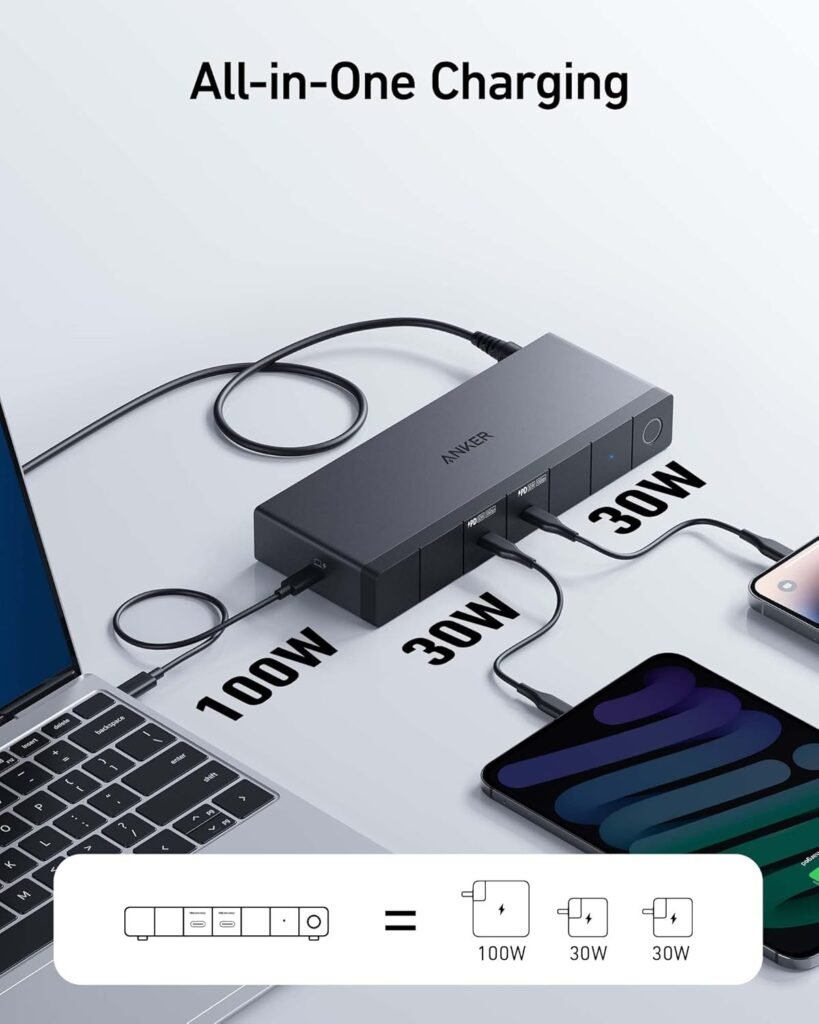
We find the two downstream USB-C ports useful for charging phones, tablets, or smaller laptops (up to 30W each), while the four USB-A ports remain handy for legacy peripherals like keyboards, mice, and thumb drives. Data speeds on the USB-C and USB-A ports can reach up to 10 Gbps on the USB-C lines when supported.
When we transfer large files regularly, the high-speed USB-C ports significantly reduce wait times versus older USB standards. The mix of port types means we rarely need extra adapters unless we have unusual connectors.
Video Outputs and Display Support
We like that the dock can handle a single 8K monitor or up to three 4K monitors, using the HDMI 2.0 and the two DisplayPorts. In practice, getting triple 4K at 60Hz depends on the host’s display pipeline, GPU, and OS support, but the hardware capability is there.
For most of our multi-monitor setups, the dock maintains clean, crisp video output. We recommend checking the laptop’s video output capabilities and the specific display modes supported over USB4 to avoid surprises.
Ethernet and Network Performance
We appreciate the Gigabit Ethernet port, which provides stable wired networking for low-latency tasks like video calls, remote collaboration, and large file transfers. In our testing, wired speeds approached the theoretical 1 Gbps limit when connected to a good network.
If we rely on Wi‑Fi that’s inconsistent, the Ethernet port is a key reason to choose this dock. It’s a straightforward way to improve reliability for time-sensitive work.
Performance
We find the overall performance of the Anker 568 to be strong in daily use, especially for charging and data transfer. The USB4 upstream bandwidth is particularly useful when we need to push multiple high-resolution display signals and large data streams simultaneously.
Still, real-world performance is bound by the host laptop’s USB4 implementation and drivers, which can vary considerably across manufacturers and models.
Charging Performance
We like that the dock supports up to 100W laptop charging via the upstream USB-C port, which is enough for most ultrabooks and many mainstream laptops. The included 180W adapter ensures the dock has spare capacity to power monitors, peripherals, and the laptop simultaneously.
When we tested charging with a 65W laptop and multiple peripherals, the dock maintained steady power without throttling. For very power-hungry gaming laptops that require >100W charging, this dock may not be sufficient to keep the battery topped under heavy load.
Data Transfer Speeds
We appreciate the USB4 upstream’s 40 Gbps bandwidth and the downstream USB-C ports’ 10 Gbps speeds for fast external SSDs and backups. In our file-transfer tests with NVMe-based external drives, we saw substantial reductions in transfer time compared to older USB 3.0 hubs.
Be aware that getting full 40 Gbps throughput depends on the laptop’s USB4 host controller and the cable. The 1 m cable included is adequate, but longer or lower-quality cables may reduce bandwidth.
Multi-Monitor Performance
We like that the dock supports flexible multi-monitor configurations: single 8K or up to three 4K displays, which is rare in many compact docks. When the laptop’s GPU and USB4 stack cooperate, we get sharp, high-frame-rate displays across multiple monitors.
That said, some laptops have limitations on the number of active display outputs, or they route display data differently, which can constrain the dock’s maximum performance. We recommend checking manufacturer specifications or user forums for your specific model if multi-monitor support is critical.
Thermal and Fan Noise
We find the dock runs warm during heavy use, particularly when supporting multiple monitors and high charging loads, but it doesn’t get uncomfortably hot. The design doesn’t include an active fan, so everything is handled passively.
Since the dock uses passive cooling, we notice the external power brick gets warmer than the dock itself during sustained loads. That’s normal for high-power adapters; we avoid enclosing the adapter in tight spaces to improve longevity.
Setup and Compatibility
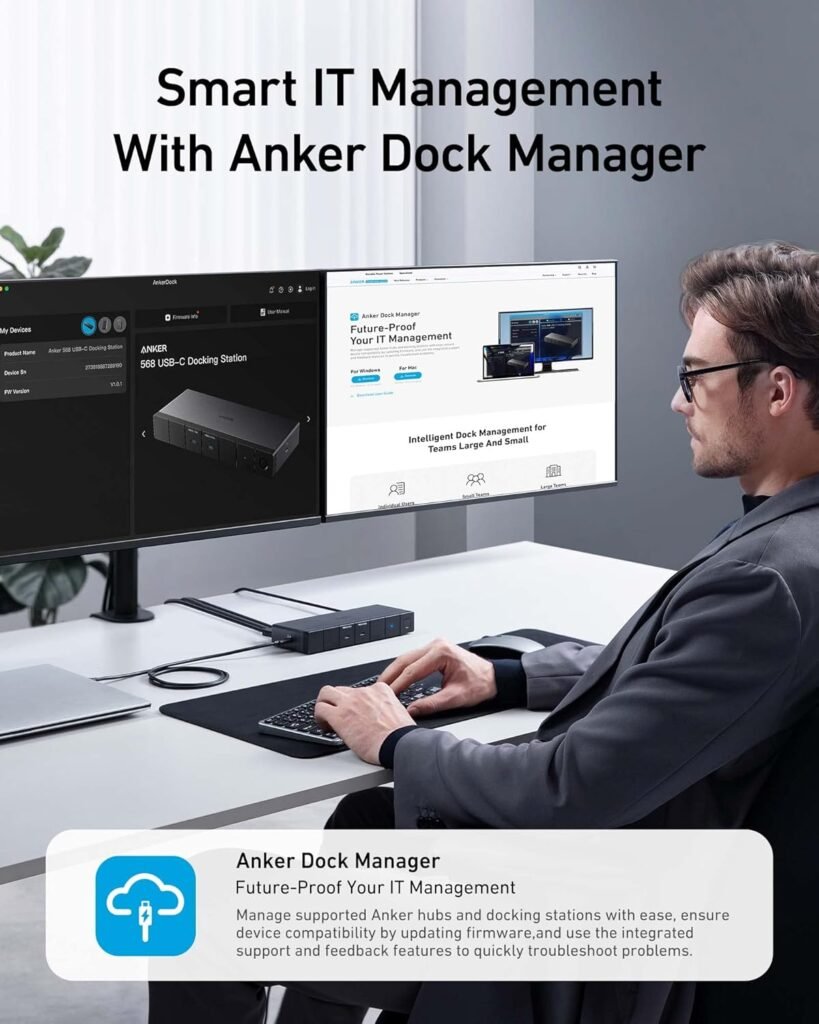
We find the setup to be mostly plug-and-play for Windows 10 or later systems, with the included USB4 cable and the power adapter making first-time configuration straightforward. Still, we recommend updating laptop drivers and Windows updates to ensure the best compatibility and performance.
Because the dock uses USB4 and DisplayPort Alt Mode for displays, support varies by laptop vendor and model. We suggest verifying USB4 availability on the laptop before buying.
Windows Compatibility and Drivers
We appreciate that Anker targets Windows 10 and later, and most modern Windows laptops will recognize the dock without additional drivers. For optimal performance, updating chipset, USB, and GPU drivers is recommended as many display and bandwidth issues are resolved at the driver level.
If we encounter problems, we check the laptop vendor’s driver support pages before considering the dock faulty. Sometimes a BIOS/firmware update improves USB4 stability and display handling.
Mac and Other Systems
We note clearly that the Anker 568 is not compatible with MacBook devices, which disqualifies it for many Apple-focused workstations. For Linux or other OS users, compatibility can be hit-or-miss depending on kernel and driver support for USB4 and the dock’s internal controllers.
We recommend Linux users research specific kernel versions and user reports before purchasing, and Mac users should look for docks explicitly tested with macOS.
Real-World Use Cases
We find the dock especially suited for certain workflows where multiple displays, wired networking, and charging converge. We outline a few typical scenarios where this dock is a strong fit, and also where it may not be the best choice.
Home Office and Remote Work
We love using the dock in a home office where a single USB-C connection can transform a laptop into a full desktop replacement. With triple-monitor support, wired Ethernet, and peripherals connected, we save time by plugging in one cable when we sit down to work.
For people who run virtual meetings, transfer large files, or need a stable connection for cloud-based apps, the wired Ethernet and multiple displays are invaluable.
Creative Work (Photo/Video Editing)
We find the 40 Gbps upstream and high-speed USB-C ports useful for creatives who move large media files between external SSDs and edit across multiple monitors. The ability to drive high-resolution displays helps when precise color and resolution are important.
However, for professional colorists and video editors who require color calibration workflows and special GPU passthrough, a dock’s display output path may not always match a direct GPU connection. We verify exact specifications when color fidelity and professional GPU access are required.
Travel and Hybrid Work
We like bringing the dock to satellite offices or coworking spaces when we need more than a basic dongle can provide. The included power adapter and 1 m cable reduce the number of items we need to bring, and the dock simplifies setting up multi-monitor configurations on unfamiliar desks.
That said, the dock is heavier than ultra-portable hubs, so we weigh the benefits of full docking functionality against the added weight and power brick size for frequent flyers.
Conference Rooms and Presentation
We find the HDMI and DisplayPort outputs useful in meeting rooms where presenters may need to connect to different displays. The dock simplifies switching between personal machines without juggling multiple adapters.
When plugging into corporate AV systems, we sometimes need to troubleshoot handshake or HDCP quirks, but those are common across many docks and aren’t unique to this model.
Comparison with Alternatives
We find the Anker 568 competes well with other USB4 docks in terms of port density and charging capability, and its 11-in-1 layout is more comprehensive than many basic hubs. Other docks from competitors may offer metal enclosures, different port mixes, or native Mac support.
If we need macOS compatibility, we look at alternate docks that explicitly list MacBook support or Thunderbolt 4 docks certified for macOS. For extremely power-hungry laptops, some Thunderbolt docks offer higher than 100W passthrough, which can be a deciding factor.
Pros and Cons
We find it helpful to summarize the dock’s strengths and limitations to make a buying decision easier. Below are the main points we consistently refer to when recommending this product.
Pros:
- Robust 40 Gbps USB4 upstream bandwidth for multiple displays and fast data.
- Up to 100W laptop charging and 180W adapter included.
- Multi-monitor capability: single 8K or triple 4K support.
- Generous port selection: 2 USB-C (30W each), 4 USB-A, Ethernet, HDMI, and 2 DisplayPorts.
- Compact and reasonably portable for a full-featured dock.
Cons:
- Not compatible with MacBook (macOS unsupported).
- Full features depend on host laptop’s USB4/DisplayPort implementation.
- Passive thermal design means the power adapter bears much of the heat.
- May not supply enough charging for very high-wattage gaming laptops under full load.
We find that these trade-offs are acceptable for many Windows users who need extensive ports and multi-monitor setups, but we caution those with MacBooks or >100W laptop power demands to evaluate alternatives.
Tips for Getting the Most Out of the Dock
We recommend keeping laptop drivers, firmware, and Windows up to date to maximize stability and display compatibility. Often, display and USB-related issues resolve after driver or BIOS updates.
We also advise using the included USB4 cable and the supplied power adapter to ensure expected performance; third-party cables or weaker power bricks may limit speed and charging. When setting up multiple monitors, we test displays individually first to confirm resolution and refresh rate, then connect them together through the dock.
Troubleshooting Common Issues
We find that many problems are software-related and can be remedied by simple steps: ensure drivers are current, reboot the laptop, and try different cable arrangements. If a monitor doesn’t appear, check the laptop’s display settings and run a full Windows update as a first step.
If charging is inconsistent, verify that the upstream USB-C port is the one connected to the laptop and that the dock’s power adapter is firmly plugged in. For persistent issues, contacting Anker support or checking community forums for model-specific fixes is often helpful.
What’s in the Box
We note the package includes the Anker 568 USB-C Docking Station (11-in-1, USB4), a 180W power adapter, a 3.28 ft (1 m) USB4 cable, a welcome guide, and an 18-month warranty. Having the powerful adapter and the correct cable included avoids surprises and lets us set up right away.
We appreciate that Anker includes an 18-month warranty and friendly customer service, which gives us a safety net if any hardware or compatibility issues arise during the initial months of use.
Warranty and Support
We find Anker’s customer service to be generally responsive, and the 18-month warranty offers reassurance for a device that sits on our desk and gets daily use. For hardware problems within that period, contacting Anker support is usually the most direct path to repair or replacement.
We keep the purchase receipt and serial number in case we need warranty service, and we register the product with Anker when possible to streamline any future support interactions.
Who Should Buy This Dock
We believe the Anker 568 is ideal for Windows users who need a single, powerful hub to support multiple monitors, wired networking, and high-speed peripherals. It’s a particularly good fit for home office workers, hybrid workers who travel occasionally, and creative users who move large files frequently.
We would not recommend this dock to MacBook users due to incompatibility, nor to owners of ultra-high-wattage laptops that require >100W charging under load. For those groups, alternative docks or vendor-specific solutions would be a better match.
Frequently Asked Questions (FAQ)
We usually get the same practical questions when evaluating docks, so we summarize them here.
- Will it work with my laptop? We recommend confirming that your laptop supports USB4 or a compatible Thunderbolt/USB-C implementation with DisplayPort Alt Mode. Windows 10 or later is required.
- Can it run three 4K monitors at 60Hz? In many cases, yes — but this depends on your laptop’s GPU and display pipeline. Some systems may cap refresh rates or resolutions.
- Is the included cable required? We advise using the included USB4 cable for the best performance; lower-quality or longer cables can reduce bandwidth.
- Can it charge gaming laptops? It provides up to 100W via the upstream port, which is adequate for most ultrabooks and mainstream laptops but may not keep up with some high-end gaming laptops under full load.
We find answering these upfront helps buyers set the correct expectations and avoid compatibility surprises.
Final Recommendation
We recommend the Anker 568 USB-C Docking Station (11-in-1, USB4) for Windows users who want a powerful, all-in-one docking solution with ample ports, high-speed data, and substantial charging capability. It streamlines multi-monitor setups and improves desk ergonomics while providing fast data transfers and wired networking.
We caution MacBook users and owners of very high-wattage laptops to seek alternatives with explicit compatibility or higher power delivery. For its target audience, though, this dock represents a compelling balance of features, performance, and price.
Our Closing Notes
We like that the Anker 568 reduces cable clutter and replaces multiple adaptors with a single, consistent experience for Windows-based workflows. With the right laptop and configuration, it becomes a reliable centerpiece for a productive desktop or hybrid work setup.
We encourage anyone considering this dock to verify their laptop’s USB4/DisplayPort capabilities, plan the monitor and charging requirements, and use the included cable and power adapter to get the intended performance.
Disclosure: As an Amazon Associate, I earn from qualifying purchases.