Most laptop-safe power stations don’t advertise that their “pure sine wave” AC can still sag under sudden loads, risking random shutdowns. That’s why we focus on units with stable 300W output, fast 100W+ USB‑C PD, and long‑life chemistries like LiFePO4 for real-world reliability. We’ll compare five compact picks—from ultralight banks to 288Wh minis—that balance weight, recharge speed, and pass‑through safety, so you can work anywhere without babysitting your battery.
Key Takeaways
- Prioritize 230–300Wh capacity with pure sine wave AC and 300W continuous output (600W surge) for stable laptop power and gaming headroom.
- Choose USB‑C PD 100–140W ports for faster, more efficient laptop charging; ensure certified 5A/20V cable compatibility.
- Favor LiFePO4 batteries for 3,000+ cycles, safer operation, and consistent performance under load compared to standard lithium-ion.
- Check weight and portability: sub-5 lb units travel easier; integrated handles and compact designs improve daily carry.
- Verify pass-through charging, robust BMS protections, and strong warranties (2–5 years) for reliability and long-term value.
Bailibatt 300W 257Wh Portable Power Station with AC Outlet


If you want a truly portable laptop-ready power station, Bailibatt’s 300W, 257Wh HP200D hits the sweet spot: it’s lightweight (about 4–5 lbs), delivers dual 120V pure sine wave AC outlets, and keeps up to eight devices powered as long as you stay under 300W. We like its 257Wh Grade-A lithium pack (18 cells) with 1,500+ cycles, clean AC for sensitive laptops, and handy USB-A/USB-C plus 12V/120W DC outputs. The clear LCD and BMS guard voltage, current, and temperature, while overload and short-circuit protection add confidence. Long-press three seconds to toggle AC. Recharge every month or two. Accessories are minimal; a 1-year warranty’s included.
Best For: Campers, travelers, and home backup users who need a lightweight, laptop-safe power station with clean AC output and multiple ports under a 300W load.
Pros:
- Dual 120V pure sine wave AC outlets plus USB-A/USB-C and 12V DC for versatile charging
- Lightweight 257Wh pack with 1,500+ cycles and clear LCD with robust BMS protections
- Can power up to eight devices simultaneously as long as total draw stays ≤300W
Cons:
- No car charger cable or solar charging accessories included
- 300W output limit won’t handle higher-draw appliances (e.g., hair dryers, large power tools)
- Conflicting listed weight (3.6–4.6 lbs) and only a 1-year warranty
Portable Power Station 99.9Wh Power Bank for Camping and Emergency Backup
Traveling with a work laptop and worried about airline limits? Tenlike’s M100 hits the 99.9Wh ceiling, so we can fly with confidence and still power essentials. Despite its tiny 6.5 x 3.2 x 1.9-inch frame and ~1.7-pound weight, it delivers 80W rated (120W max) via a 110V AC outlet, plus two 60W USB-C PD ports, two 15W USB-C, and a 9–12V DC. The built-in 60W PD cable is clutch for quick laptop top-ups.
We like its 1000+ cycle life, UL94 V-0 ABS housing, E4 alarm, and 30-second power-off protection. It’s great for flights, camping, and outages—with a 2-year warranty and Amazon returns.
Best For: Frequent travelers, campers, and remote workers who need an airline-compliant (99.9Wh) portable power station to run or charge laptops and small devices via AC and fast USB-C PD.
Pros:
- Airline-friendly 99.9Wh capacity with compact, lightweight design (about 1.7 lbs) and built-in 60W PD cable
- Versatile outputs: 110V AC (80W rated/120W max), dual 60W USB-C PD, two 15W USB-C, and 9–12V DC for broad device coverage
- Safety and durability: 1000+ cycle life, UL94 V-0 ABS housing, E4 alarm, 30-second power-off, 2-year warranty
Cons:
- 80W rated (120W peak) AC output won’t handle higher-draw appliances or gaming laptops under load
- 99.9Wh capacity limits extended off-grid use without recharging
- Included wall charger is 20W, so full recharge may be slower unless using higher-wattage USB-C PD input
Anker SOLIX C300 Portable Power Station (288Wh, 300W)

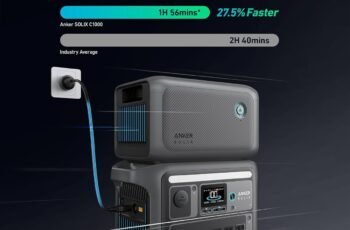
Looking for a compact laptop-ready power station that fast-charges over USB-C? We like the Anker SOLIX C300 for its 288Wh LiFePO4 battery, 300W output (600W surge), and quiet 25dB operation. It delivers 140W two-way USB-C fast charging, topping up to 80% in about 50 minutes from the wall. Ports are plentiful: 3 AC outlets, a 12V car socket, 2 USB-C (140W + 15W), and 1 USB-A.
At 9.02 lb with an integrated handle, it’s travel-friendly and durable, rated for 3,000+ cycles and backed by a 5-year warranty. Solar input supports 60–100W panels (not PS30/PS200/PS400), plus pass-through charging for flexible setups.
Best For: Travelers, campers, and remote workers who need a compact, quiet power station with fast USB-C charging to reliably run laptops and small devices.
Pros:
- 140W two-way USB-C fast charging; recharges to 80% in ~50 minutes from wall
- Quiet 25dB operation with durable LiFePO4 battery (3,000+ cycles) and 5-year warranty
- Versatile I/O: 3 AC outlets, 12V car socket, 2 USB-C (140W + 15W), 1 USB-A; supports pass-through charging
Cons:
- 300W continuous output limits use with high-wattage appliances
- Not compatible with Anker SOLIX PS30/PS200/PS400 solar panels
- Strap not included by default; 9.02 lb is portable but not ideal for backpacking
Anker 737 Power Bank with 140W Fast Charging

Meet the Anker 737 Power Bank, a 24,000mAh, 140W PD 3.1 beast that’s ideal for anyone who needs to keep a USB‑C laptop and phone powered through long workdays or flights. We like its three ports, informative smart display, and airline-friendly size (6.14 x 2.15 x 1.95 inches, ~22 oz). It fast-charges laptops, tablets, and phones, supports pass‑through, and shows real-time wattage, capacity, and time estimates. You’ll need a 5A USB‑C cable and a 140W wall charger to hit peak speeds—no charger’s included. It’s heavier and pricier than some rivals, but the reliability, build, and 24‑month warranty justify it.
Best For: Power users and travelers who need to fast-charge a USB-C laptop and multiple devices through long workdays or flights, with real-time charging stats and airline-friendly portability.
Pros:
- 140W PD 3.1 two-way fast charging supports laptops, tablets, and phones, with pass-through capability
- Smart display shows real-time wattage, remaining capacity, and recharge time estimates
- High 24,000mAh capacity with three ports in a durable, TSA-friendly form factor, plus a 24-month warranty
Cons:
- Heavier than many rivals (~22 oz) and relatively bulky
- No wall charger included; needs a 140W charger and 5A USB-C cable for peak speeds
- Pricier than lower-wattage, lower-capacity alternatives and may have occasional quirks with certain devices
VTOMAN FlashSpeed 300 Portable Power Station (230Wh, 300W)

For commuters and remote workers who need real laptop power in a small footprint, the VTOMAN FlashSpeed 300 stands out with a 100W USB‑C PD port and a 300W AC outlet backed by a 230Wh LiFePO4 battery. We like that it weighs about 7 lb, adds a sturdy handle, and runs up to six devices at once via AC, USB‑C, three USB‑A ports, and a DC5521. Recharging takes about 2.5 hours with the 90W adapter, or you can use car, solar, or USB‑C. With 3,000 cycles to 80%, LiFePO4 chemistry, and LifeBMS protections, it’s a dependable, travel‑ready pick with a handy three‑mode camping light.
Best For: Commuters, remote workers, and campers who need compact, travel-friendly power with true laptop charging via 100W USB‑C and a 300W AC outlet.
Pros:
- 100W USB‑C PD plus 300W AC output handles laptops and multiple devices simultaneously (up to 6 ports).
- Long-life LiFePO4 battery with ~3,000 cycles to 80% and LifeBMS safety protections.
- Fast recharging (~2.5 hours with 90W adapter) and versatile inputs (AC, car, solar, USB‑C); lightweight ~7 lb with handle.
Cons:
- 230Wh capacity limits run time for higher-draw devices or extended off-grid use.
- Solar panel not included and performance depends on sun conditions.
- Single AC outlet may be restrictive if you need multiple AC devices at once.
Factors to Consider When Choosing Portable Power Stations for Laptops
Before we pick a unit, we should match wattage and surge to our laptop’s peak draw and choose a battery capacity that fits our runtime needs. We’ll check port types (AC, USB-C PD, USB-A) and charging speed to ensure fast top-ups for all our devices. Finally, let’s weigh portability and total weight so it’s easy to carry without sacrificing essential power.
Wattage and Surge
How much power does your laptop really need? Most laptops draw 30–180W, so we should match or exceed that with a power station’s continuous (running) output to avoid overload or throttling. Check your charger label or system specs, then pick a unit whose continuous rating meets that number or higher.
Surge wattage matters, too. Laptops can spike on startup or under brief load. We’ll want a station whose surge rating meets or exceeds that transient draw to prevent shutdowns. For gaming or heavy CPU/GPU tasks, target 120–300W continuous output and at least 600W peak surge.
Prefer pure sine wave AC for clean, stable power that protects sensitive electronics. Finally, verify both running and surge ratings, and look for efficient USB-C PD ports to optimize recharging performance.
Battery Capacity
Now that we’ve sized wattage and surge, we should match that power with enough battery capacity to keep the laptop running as long as we need. Capacity is measured in watt-hours (Wh) and directly translates to runtime. All else equal, a higher number means longer use: 230–288Wh generally outlasts 99.9Wh.
For typical laptops drawing about 60–120W under load, a 257–288Wh power station often delivers roughly 2–4 hours, depending on efficiency and workload. Expect some loss: inverter efficiency, constant draws, and brief startup surges reduce usable Wh, so rated capacity rarely equals real runtime.
Battery chemistry matters, too. Li-ion packs are lighter for the same Wh, while LiFePO4 often offers longer cycle life and deeper usable capacity. Whenever possible, confirm estimates with real-world tests.
Port Types Needed
Which ports actually matter for laptop use? We want at least one 110V AC outlet with pure sine wave output to avoid harmonics and finicky adapters. Match the station’s continuous rating to our laptop’s draw (often 60–180W) and make sure the surge rating covers startup spikes.
USB-C Power Delivery is the cleaner option for many modern notebooks. Prioritize a station with 100W PD (or higher) on at least one USB-C port for direct laptop charging; 60–100W covers most ultrabooks, while higher-watt models benefit from 100W+. If we’ll recharge the station while working, confirm the USB-C port supports pass-through.
Plan our total wattage budget. If we’ll run a laptop and peripherals simultaneously, check combined loads don’t exceed the unit’s 300–600W typical range.
Charging Speed
Curiously, charging speed comes down to wattage, compatibility, and bottlenecks. For laptops, the USB-C Power Delivery rating is king: a 100W PD port charges far faster than 60W or 18W. If our laptop expects full 100W PD, we also need a certified 5A/20V USB-C cable; otherwise, the station and laptop will negotiate down and slow dramatically.
We should also check the power station’s continuous AC output. A higher ceiling (e.g., 300W) prevents slowdowns when we’re charging the laptop while running other devices, reducing bottlenecks.
Chemistry matters, too. LiFePO4 cells typically sustain output better and manage heat more consistently, aiding stable, under-load charging sessions. Finally, input speed counts: a wall charger with 100W+ input refuels the station quickly, enabling repeated fast laptop top-ups during outages or long workdays.
Portability and Weight
Portability isn’t just about a low number on the spec sheet—it’s how the power station carries in real life. We look at weight, handles, and shape together. Compact units under 5 pounds slip into a tote or backpack; larger 7–9 pound models trade heft for higher capacity. If we plan to move often between rooms, cafés, or flights, integrated handles, built-in straps, and corner-friendly dimensions make one-handed carry far easier.
We also weigh battery chemistry. LiFePO4 packs can match the weight of other chemistries while delivering many more cycles, boosting long-term portability since we won’t replace them as soon. For quick laptop sessions, 100–200Wh models are lighter but need more frequent recharges. Finally, balanced weight distribution and ergonomic grips help them ride comfortably in bags.
Safety and Warranty
Peace of mind starts with safety features and a solid warranty. We should prioritize power stations with a robust battery management system (BMS) and protections for overload, short-circuit, and over-temperature events. These safeguards keep our laptops and the power station safe during intensive sessions.
We also verify a true sine wave AC output and appropriate DC/AC wattage to match a laptop’s adapter, plus safe charging standards like PWM-controlled DC ports. Clear, real-time monitoring—via an LCD or app—lets us track remaining capacity and input/output so we don’t overdraw mid-task.
For longevity, we check cycle life claims: 1,500+ cycles is good; 3,000+ is excellent. Finally, we confirm warranty length (typically 1–5 years) and coverage details, especially battery lifespan and manufacturing defects.
Conclusion
As we zip laptops into sleeves and sling bags over shoulders, these compact power stations feel like quiet guardians at our side—steady LEDs glowing like campfire embers, pure-sine hums softer than a whisper. Whether we’re racing deadlines on a train or riding out a storm at home, they keep our screens bright and our work flowing. Choose wisely, travel light, and let reliable power turn uncertain moments into calm, productive stretches wherever we land.