?Are we looking for a compact, reliable power station that can keep our devices running during camping trips, road travel, hunting excursions, and unexpected blackouts?

Product Overview
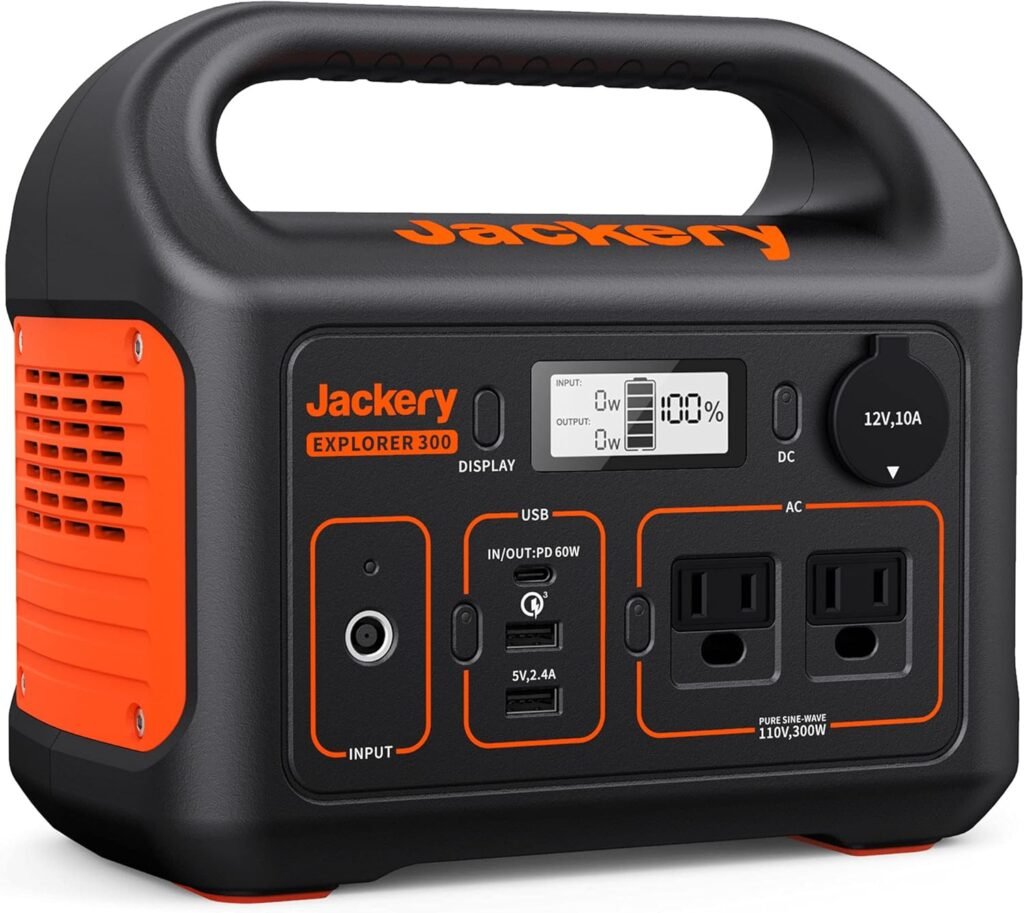
We’ve tested and reviewed the Jackery Portable Power Station Explorer 300, 293Wh Backup Lithium Battery, Solar Generator for Outdoors Camping Travel Hunting Blackout (Solar Panel Optional) to see how well it performs when we need dependable off-grid power. This unit is designed to be lightweight yet capable, with multiple ports and fast recharge options intended to support everyday electronics and small appliances away from the grid.
Key Specifications
We’ll summarize the essential specs so we can quickly see whether this model meets our needs. The short table below captures the numbers we care about most when comparing portable power stations.
| Specification | Details |
|---|---|
| Model | Jackery Portable Power Station Explorer 300 |
| Battery Capacity | 293 Wh (Lithium-ion) |
| AC Output | 2 × Pure Sine Wave AC outlets, 300W continuous, 600W surge |
| USB-C (PD) | 1 × 60W PD (input/output supported) |
| USB-A | 1 × Quick Charge 3.0, 1 × standard USB-A |
| DC Car Port | 1 × 12V car port |
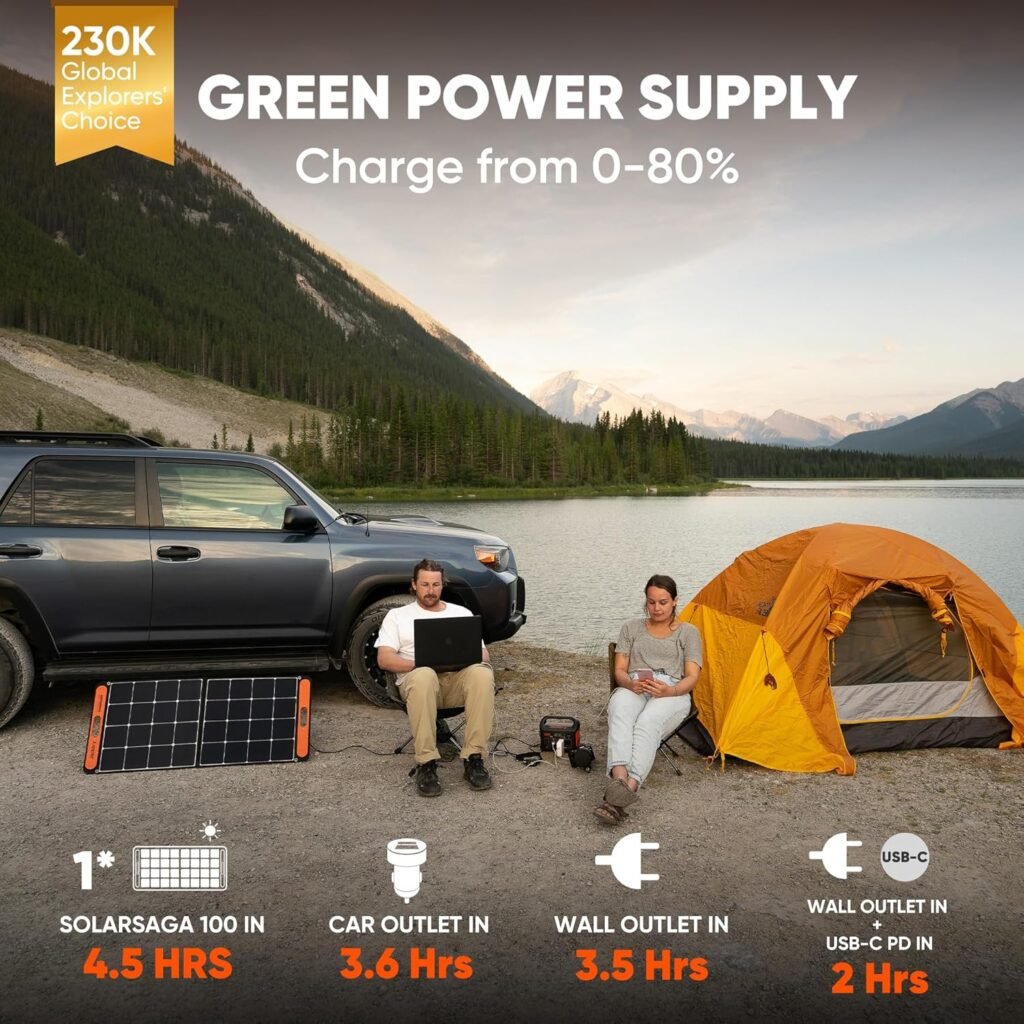
| Recharging Methods | Wall outlet (AC), 60W PD USB-C, car outlet, SolarSaga 100 (solar panel optional) |
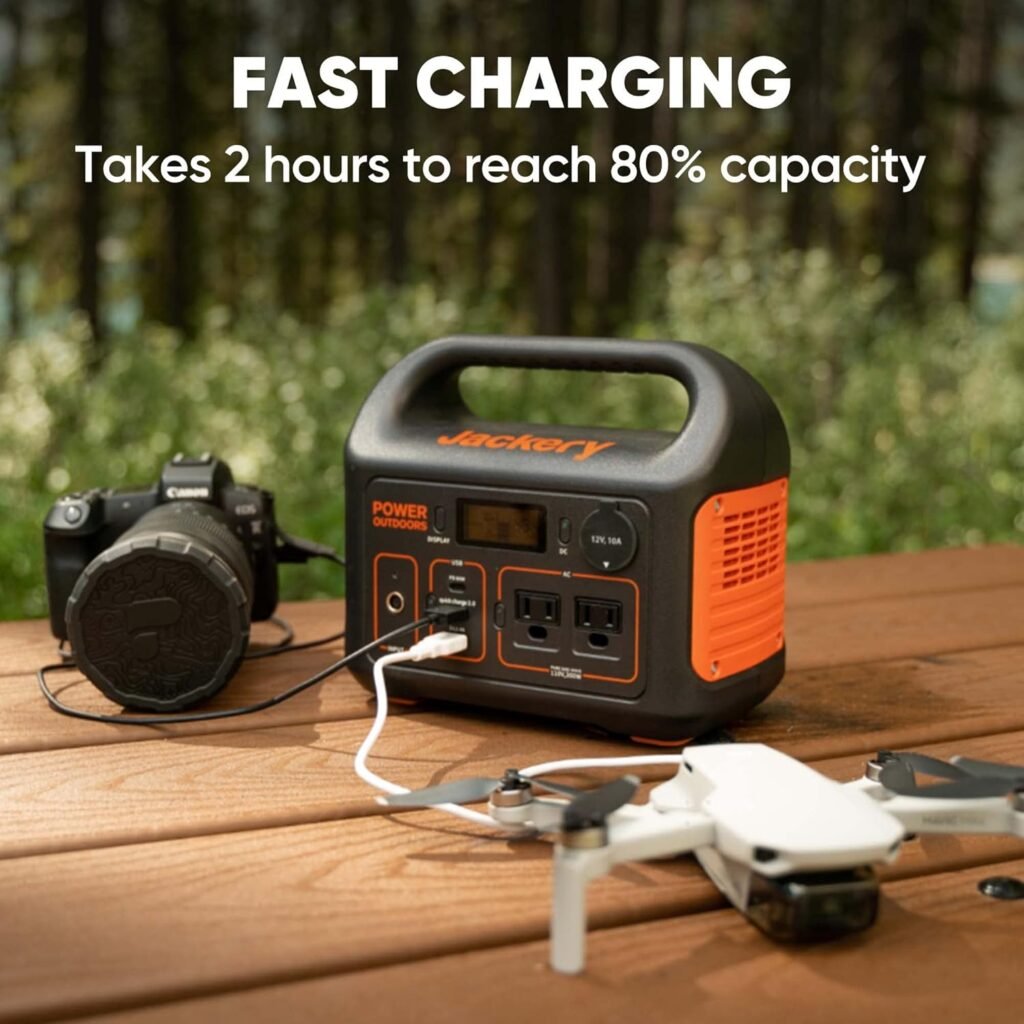
| Recharge Time | 80% in ~2 hours using AC + 60W USB-C simultaneously |
| Weight | 7.1 lbs (approx. 3.22 kg) |
| Dimensions | Compact, suitcase-style carry handle |
| Included | Explorer 300 unit, AC adapter, car charger cable, user guide (solar panel not included) |
| MPPT | Integrated MPPT controller for solar charging (with compatible panels) |
What’s in the Box
We want to know exactly what we get so there are no surprises when the package arrives. The box contains the Explorer 300 unit, the AC adapter, a car charger cable, and a user guide; solar panels are sold separately.
Battery Capacity and Charging Performance
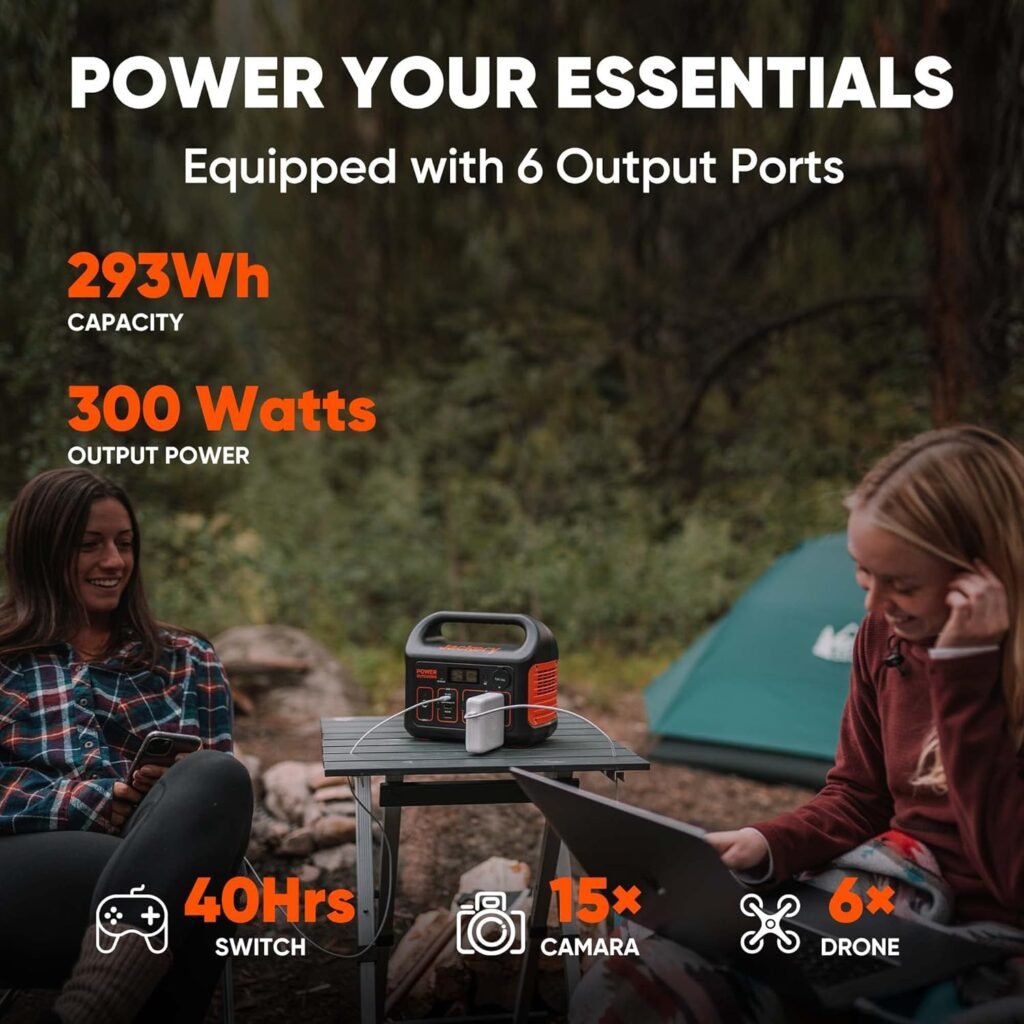
We need to understand how much usable energy we actually get from 293Wh and how quickly we can refill it. The 293Wh battery gives us a solid baseline for charging phones, running laptops, or powering a small CPAP or mini-fridge for limited periods, while the charging options are notably flexible and fast when combined.
Recharge Speed and Methods
We were impressed that Jackery advertises 80% recharge in around 2 hours when using the AC wall outlet together with the 60W PD USB-C input simultaneously. In addition to AC and USB-C PD charging, we can recharge from a car outlet during travel or from solar panels—most commonly the Jackery SolarSaga 100—which uses the built-in MPPT controller to optimize solar input.
Battery Chemistry and Lifespan
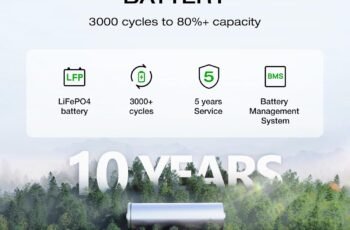
The Explorer 300 uses lithium-ion chemistry, which strikes a balance between energy density and weight. With normal use and proper care—avoiding extreme temperatures, keeping the battery between roughly 20% and 80% for storage when possible—we expect a reasonable lifespan; however, lithium-ion packs will gradually lose capacity over many cycles.

Output Power and Ports
We want to know what the unit will actually power and how many devices we can run simultaneously. The Explorer 300 packs 2 pure sine wave AC outlets and multiple DC/USB ports, allowing us to charge and run up to six devices at once depending on the devices’ power draw.
AC Output and Inverter
The dual AC outlets deliver up to 300W of clean, pure sine wave power, which is important for sensitive electronics like laptops and camera gear. The inverter can typically handle small surges—useful when briefly starting devices—but the 300W continuous rating limits it from running heavy-duty appliances such as large fridges, microwaves, or power tools for extended periods.
USB, Car Port and Device Support
The 60W USB-C PD port is a standout because it supports both input and output, allowing fast charging for laptops and rapid recharging of the station itself. The Quick Charge 3.0 USB-A is convenient for fast phone charging, while the extra USB-A and DC car port cover other accessories. We can expect to power smartphones, tablets, cameras, drones, and many laptops (with wattages under ~60W) comfortably.
Example Run Times (Approximate)
We calculated run-time estimates using usable capacity (accounting for inverter and conversion losses). These are approximate and depend on device power draw and real-world conditions.
| Device | Typical Power Draw | Estimated Run Time from 293Wh |
|---|---|---|
| Smartphone (10 Wh per full charge) | ~10 W | ~20–25 full charges |
| Laptop (MacBook, 45–60 W) | 45–60 W | ~3–5 hours |
| Mini fridge (60 W average) | 60 W | ~3–4 hours (intermittent compressor cycles extend this) |
| CPAP (40 W) | 40 W | ~5–6 hours |
| Drone battery charger (30 W) | 30 W | ~6–8 charges depending on battery size |
| LED camping lights (5 W) | 5 W | ~30–40 hours |
We should remember the inverter and other losses typically mean usable energy is slightly less than the theoretical 293Wh; we used a realistic efficiency factor for these estimates.
Solar Compatibility and Off-grid Use
We value the ability to recharge from sunlight when we’re truly off-grid. The Explorer 300 supports solar input with an integrated MPPT charge controller, which helps us get better solar charging efficiency compared to basic controllers.
MPPT Controller and SolarSaga 100
When paired with the Jackery SolarSaga 100 panel, the built-in MPPT enables faster and more efficient charging by tracking the solar panel’s maximum power point. Under ideal sun conditions, we can expect significant recharge rates—though actual times vary with sunlight intensity, panel angle, temperature, and shading.
Solar Recharge Time Estimates
Realistic solar recharge is weather-dependent. If we use a 100W panel under peak sun, we might see up to 80–100W input at best; factoring panel orientation and atmospheric conditions, expect multiple hours of strong sun (4–8 hours) to approach a full recharge from near-empty. Morning and evening sun will give less, so planning for partial-day recharge is practical.
Portability, Design and Build Quality
We want a product that’s easy to carry for travel and outdoor use, and that feels durable enough for light rough handling. The Explorer 300 weighs about 7.1 pounds, which is light for its capacity, and features an integrated handle that makes it easy to move between campsite and car.
Weight and Form Factor
At about 7.1 lbs, the Explorer 300 is one of the more portable power stations in its capacity class, striking a balance between energy storage and weight. Its suitcase-style design and compact footprint fit well into vehicle trunks, backpacks, or under a camping seat when we’re on the move.
Build Materials and Durability
The exterior housing is made of sturdy plastic that resists light knocks and scratches; while it’s not fully ruggedized or waterproof, it handles typical outdoor use well if we keep it sheltered from heavy rain. For more demanding, wet, or dusty environments we’d take additional protective measures such as a waterproof bag or shelter.
Safety Features and Reliability
We prioritize safety and expect protective electronics to keep devices and the battery safe from common hazards. The Jackery unit includes a battery management system that provides protections such as over-current protection, over-temperature protection, and short-circuit protection to help prevent damage to both the power station and connected devices.
Monitoring and Indicators
The LCD screen and LEDs provide straightforward feedback on remaining charge, input/output wattage, and charging status, so we can manage energy use efficiently. This monitoring helps us avoid unexpected shutdowns and plan recharges more effectively during extended off-grid stays.
Practical Use Cases
We like to consider real-life scenarios where the power station may be used to understand suitability. The Explorer 300 is well-suited for weekend camping, day-long road trips, short hunting stalls, and as a compact emergency backup at home for lights and communications.
Camping and Overlanding
For tent camping, we can charge phones, run lights, operate small portable fridges for a few hours, and power cameras and drone batteries. Its light weight and multiple ports mean fewer separate battery packs to carry and charge, simplifying our gear list.
Traveling and Road Trips
On road trips, the ability to recharge from a car outlet is handy for topping the unit up between stops. The 60W PD port also fast-charges laptops during the drive or at rest stops when we need to work or edit photos.
Hunting and Remote Field Use
When we’re out hunting over multiple days, the unit provides quiet, reliable power for headlamp recharging, camera traps, radios, and other low-wattage equipment without the noise or fumes of a gas generator. Solar charging can extend this autonomy if sun is available.
Blackouts and Home Emergency Use
In short power outages, we can run essential electronics—phones, routers, medical devices like small CPAPs for a few hours, and lighting—giving us breathing room until grid power returns. We should be realistic about load limits; the 300W continuous inverter caps what we can sustain.
Setup, Operation and Tips
We want the unit to be straightforward to use right out of the box, and we prefer tips that make operation smoother and extend battery life. Setting up is mostly plug-and-play: charge the unit fully before first use, plug in devices, and follow the display prompts for monitoring.
Best Practices for Charging and Storage
For longest battery life, we recommend storing the unit in a cool, dry place at around 50% charge if it won’t be used for months. Calibrating the battery by occasionally cycling it (partial or full discharge followed by a full recharge) can help keep the battery meter accurate.
Tips for Maximizing Run Time
We reduce power draw by selecting energy-efficient device settings (lower brightness on screens, airplane mode for phones when not needed) and by powering off or unplugging devices not in use. For intermittent loads, like compressors in mini fridges, realize run time depends on duty cycle; lower ambient temperatures and efficient cooling systems reduce compressor runtime and stretch battery life.
Maintenance and Troubleshooting
We prefer products with low maintenance needs and clear troubleshooting steps in case something goes wrong. Basic care includes keeping vents clear, protecting it from moisture, and avoiding extreme temperatures; simple resets or power cycling often resolve minor glitches.
Common Troubleshooting Steps
If the unit won’t charge, we check cable connections, try different charging methods (AC vs. USB-C), inspect fuses or connectors, and ensure the environmental temperature is within operating limits. If the inverter won’t start, unplug all loads, let the unit rest, and attempt a restart; if issues persist, consult Jackery support.
Pros and Cons
We like to balance strengths against limitations so we can make a practical decision about purchase.
Pros:
- Very portable at ~7.1 lbs for ~293Wh of capacity.
- Fast recharge capability: 80% in ~2 hours using combined AC + 60W PD USB-C.
- 60W PD port supports laptops and functions as both input and output.
- Pure sine wave AC outputs are safe for sensitive electronics.
- Built-in MPPT for efficient solar charging with compatible panels.
Cons:
- 300W continuous inverter limits use with higher-wattage appliances.
- Solar panel not included; adds cost if we want full off-grid capability.
- Lithium-ion pack will have gradual capacity loss over time vs. higher-end chemistries that may provide more cycles.
- Not ruggedized for exposure to heavy rain or dust without additional protection.
How It Compares to Alternatives
When comparing the Explorer 300 to similar models from other brands, we consider weight, capacity, recharge speed, and port selection. Its balance of light weight, fast recharge via combined inputs, and a 60W PD port puts it ahead of many similarly sized units that either lack PD input/output or are heavier, though some competitors may offer slightly higher capacity for a similar weight or include more rugged features.
Value Proposition
If we value portability and fast recharge over maximum capacity, this unit represents strong value for weekend warriors and light off-grid users. Those needing longer-term power for larger appliances should consider higher-capacity units, but they will typically weigh more and cost more.
Frequently Asked Questions
We anticipate common questions and offer concise answers to help our decision.
Q: How many times can we charge an iPhone from the Explorer 300? A: Modern smartphones typically have 10–15 Wh batteries. With 293Wh nominal capacity and accounting for conversion losses, we can expect around 15–25 full smartphone charges depending on the phone model and charging efficiency.
Q: Can we run a CPAP overnight? A: Many CPAP machines draw 30–60W. At 40W average draw, we estimate roughly 5–6 hours of operation. For full-night use, we should verify our specific CPAP’s wattage or consider a higher-capacity unit or solar top-up.
Q: Is the 60W USB-C port able to fast-charge a MacBook? A: Yes, the 60W USB-C PD port can charge many laptops that accept up to 60W input, including many MacBook models, Chromebooks, and ultrabooks. For larger MacBook Pro models requiring 85–100W, charging will be slower or may not be possible while the laptop is under heavy load.
Q: Can we charge the Explorer 300 with solar and AC at the same time? A: The recommended approach is to use one reliable charging method at a time and follow Jackery’s guidance. The unit accepts multiple inputs but simultaneous charging behavior should follow the user manual to ensure safety and optimal charging.
Q: How long does the battery hold charge in storage? A: Stored in cool, dry conditions, the unit should retain charge for months, but a partial discharge is normal over long storage; we recommend checking and topping to about 50% every 3–6 months.
Final Verdict
We find the Jackery Portable Power Station Explorer 300 to be a very practical choice when we need a lightweight, portable power solution that can charge multiple devices, recharge quickly, and be used with solar panels for extended off-grid time. It’s particularly well-suited to weekend campers, day travelers, and anyone who needs a compact backup for short outages; for longer or heavier loads we’d consider larger-capacity alternatives.
If we prioritize portability, fast PD charging, and clean AC output in a compact package, this unit deserves strong consideration. If our needs demand extended runtime for high-wattage devices, we should compare higher-capacity models or pair the Explorer 300 with a larger solar array and disciplined load management to stretch its utility.
Disclosure: As an Amazon Associate, I earn from qualifying purchases.